UX Research · Product Design · Web

X-Ray+

Helping patients understand their X-ray results with greater clarity and less uncertainty.

Design concept — not a medical device.

Download Case Study (PDF)
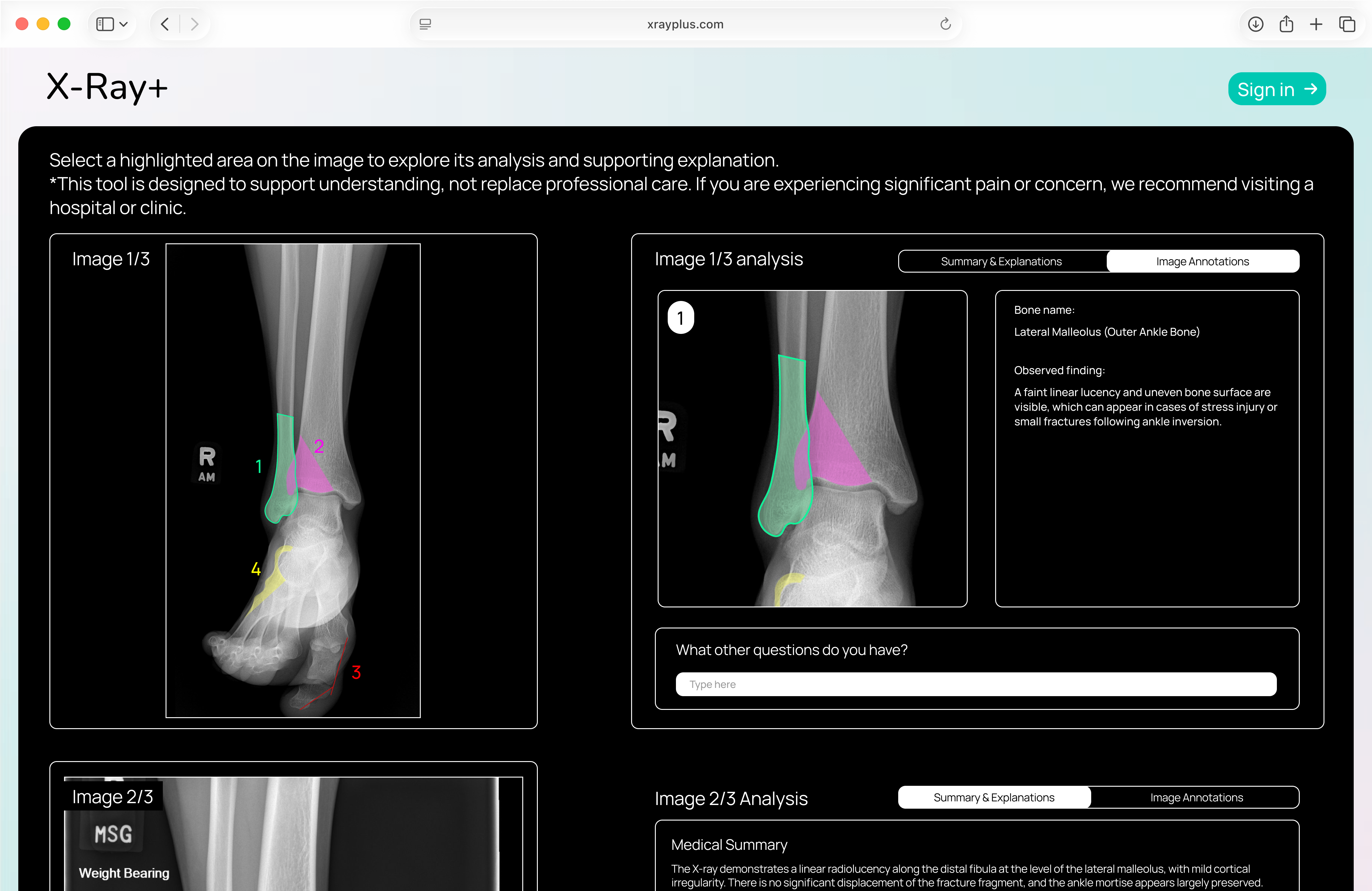
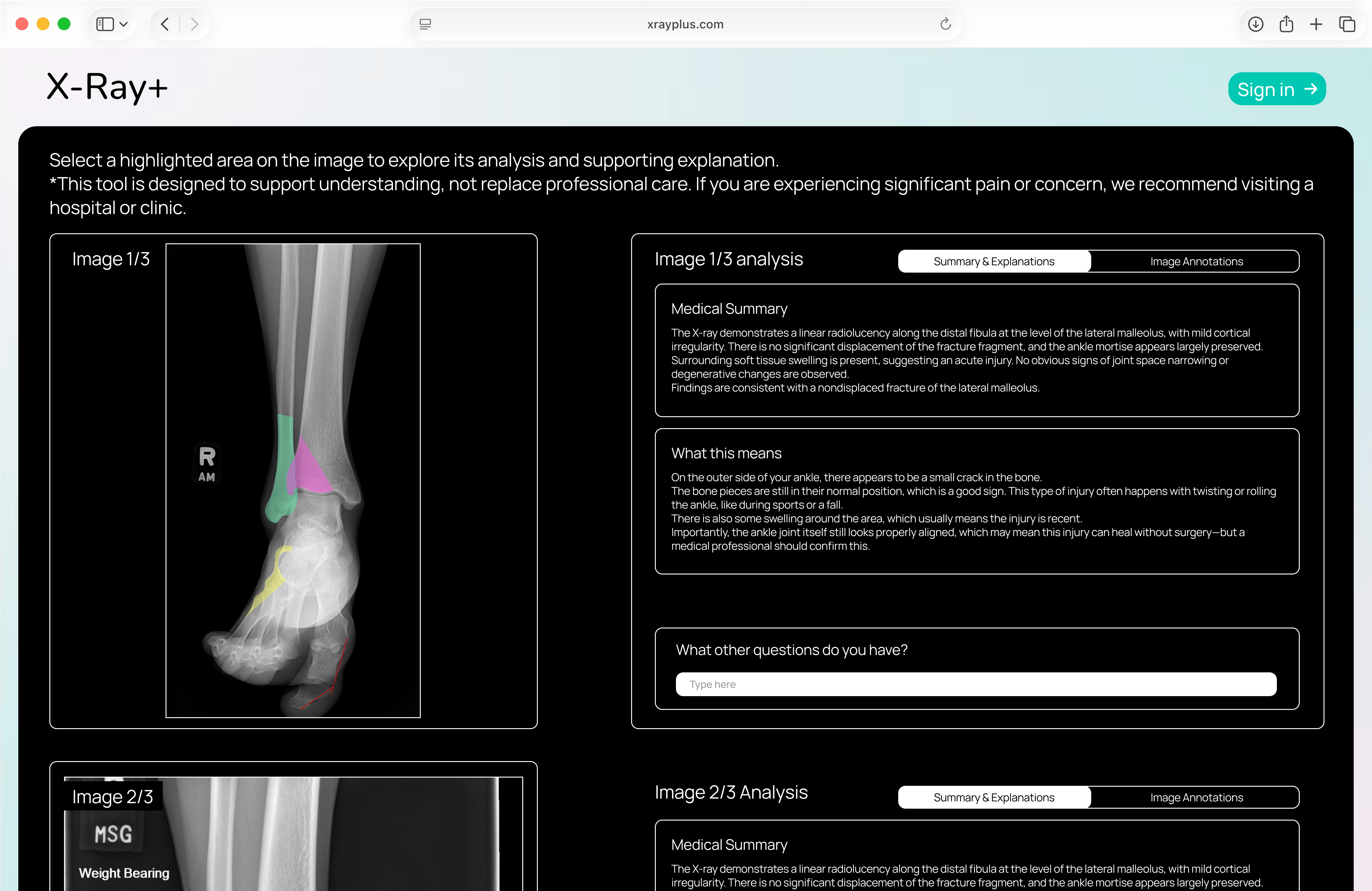
X-Ray+ concept showing an annotated ankle X-ray alongside medical-summary and plain-language explanation panels
Prototype screens contain placeholder medical text.
Role
Solo project
Methods
Secondary research, competitive critique, storyboarding, UI design

01 / Motivation

Looking for clarity after an injury

I first encountered this issue after twisting my ankle during a college figure skating practice just one week before a competition. I was in pain, overwhelmed, and desperate to know what was wrong.

My coach and teammates needed updates, and I needed answers to decide whether I could continue training. I went to the hospital for an X-ray expecting clarity, but even after the scan, I was told I would have to wait at least another week for the results.

My experience is not unique. Medical imaging is often expensive, slow, and difficult to access, leaving many patients waiting days or even weeks after an X-ray to receive answers. These delays can cause prolonged pain, stress, and postponed treatment, especially when the injury feels urgent.

For low-income patients, uninsured individuals, and students or athletes whose injuries are not considered emergencies, these barriers can be even greater.

X-Ray+ aims to reduce this gap by making X-ray explanations more immediate, accessible, and easier to understand.
02 / Current services & critique

Learning from existing approaches

There are already websites using AI online that read X-rays, but I noticed aspects I could learn from as well as areas that were lacking. I conducted a critique of three different platforms I found.

Lunit

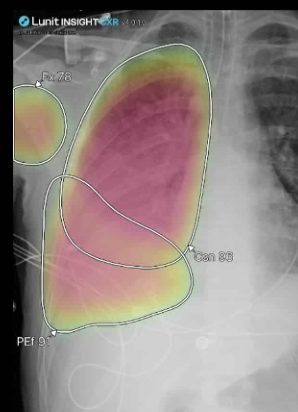
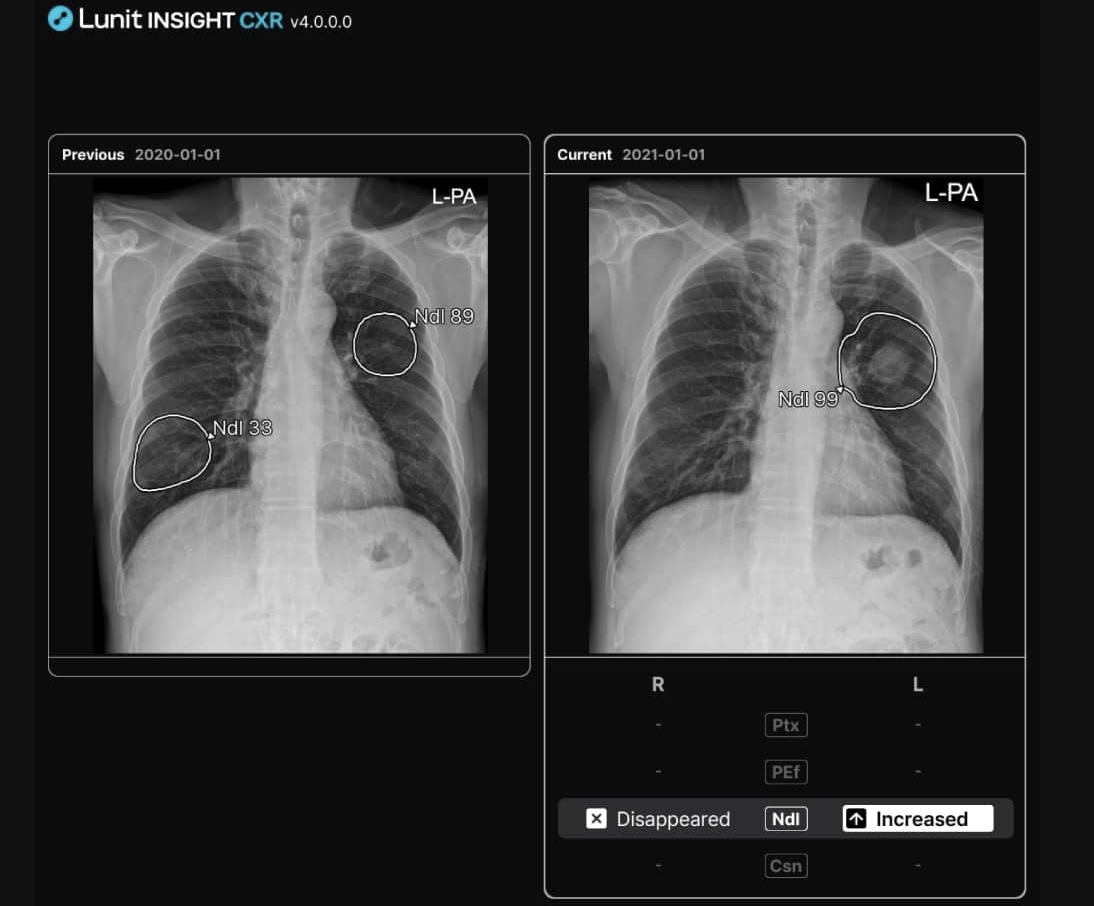
Lunit INSIGHT CXR comparison of previous and current chest images with circled regionsLunit chest X-ray with a colored heatmap and abbreviated labels

Screenshot: Lunit INSIGHT CXR

What worked well

  • Compares two different images (before and after).
  • Color-codes the circled areas.
  • Shows analysis with images and visuals.

What was lacking

  • Labels on the circled problem areas use language people without a medical background can’t understand.
  • Confusing to use: unclear where to go and what to press to get the results you want.

X-ray Interpreter

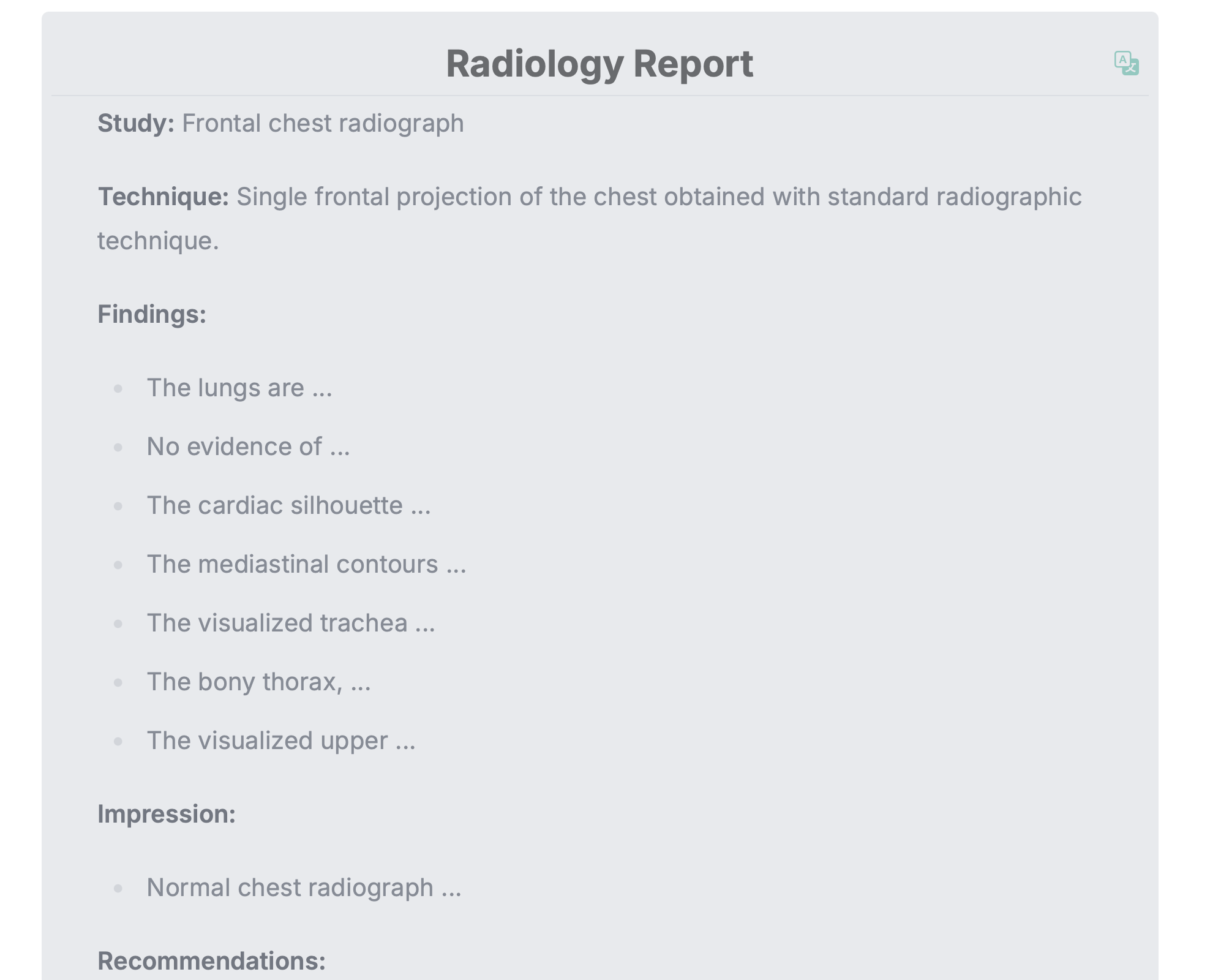
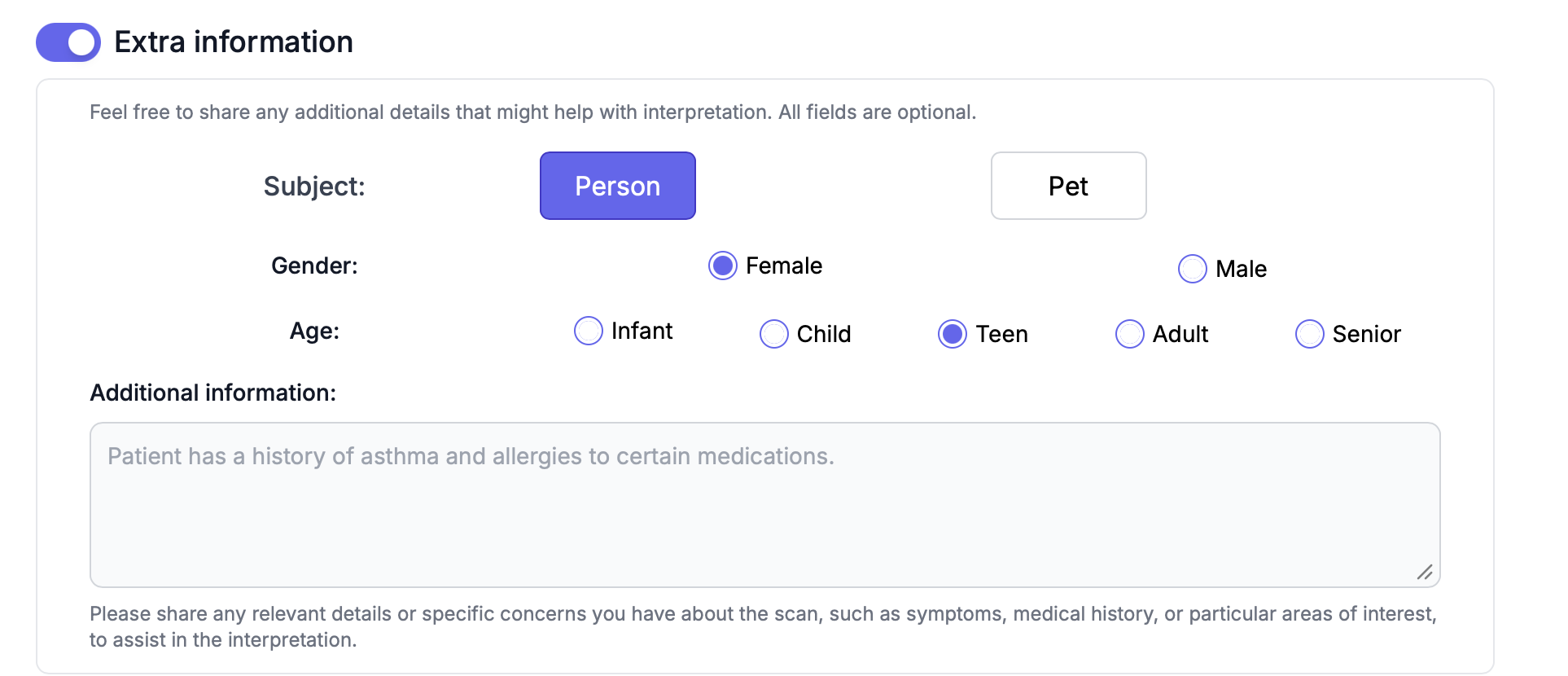
X-ray Interpreter radiology report presented as text-only findings and recommendationsX-ray Interpreter optional extra-information form asking about subject, gender, age, and additional context
X-ray Interpreter buttons for follow-up questions and sending a report by email

Screenshot: X-ray Interpreter

What worked well

  • Asks for background information to provide a more accurate analysis.
  • Lets you ask follow-up questions.
  • Translates results into any language.
  • Lets you send the report to your email.

What was lacking

  • Results are text only.
  • The interpretation is hard to understand if you’re not a medical professional.

Oxipit

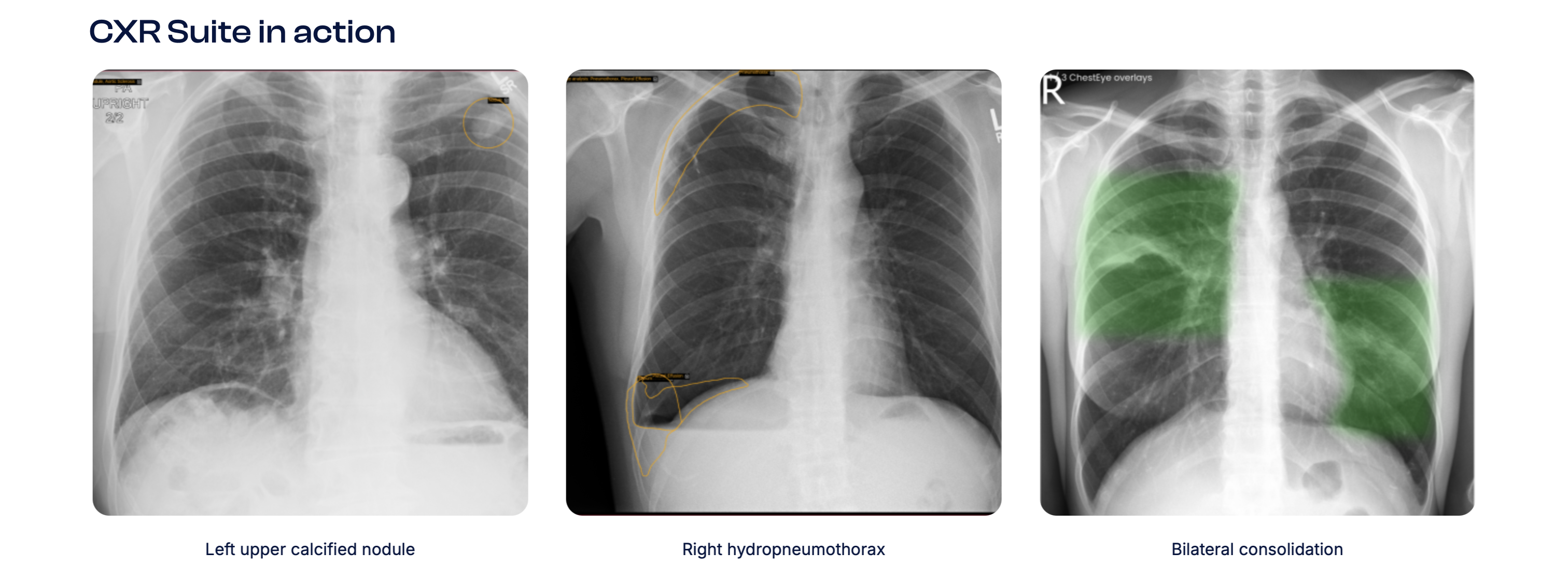
Oxipit CXR Suite in action with three chest X-rays and outlined or colored annotations

Screenshot: Oxipit CXR Suite

What worked well

  • Annotations on the actual image help you understand it better.
  • Highlights use color.

What was lacking

  • Seems designed to help radiologists with their workflow, not for the general public.

What this led to

Comparing before/after images (Lunit)
→ Goal 2 · Image comparison
Color-coded annotations (Lunit, Oxipit)
→ Goal 1 · Visual annotations
Background information first (X-ray Interpreter)
→ Goal 3 · Context before analysis
Follow-up questions (X-ray Interpreter)
→ Goal 4 · Questions after results
Emailing results (X-ray Interpreter)
→ Goal 6 · Sharing results
Medical jargon and text-only results (Lunit, X-ray Interpreter)
→ Goal 7 · Understandable for everyone
Designed for radiologists rather than patients (Oxipit)
→ X-Ray+ is designed for the general public

03 / Research

Understanding the role of interpretation

How X-rays are read today

  • X-rays use radiation to create black-and-white images that are then interpreted by a trained radiologist.
  • X-rays are most commonly used for bones and joint injuries.
  • Different types of X-ray imaging—CT, fluoroscopy, mammograms, and DXA—show that imaging technology is widespread and foundational in diagnosis.
  • Patients do not interpret X-rays themselves. Results depend on professional review and reporting.
  • Reading X-rays requires a systematic, trained approach.
  • Interpretation involves checking multiple structured criteria, including airway, breathing, and circulation.
  • Even subtle abnormalities require experience to detect.

What research says about AI in radiology

  • AI-generated radiology reports are “good but not great.”
  • Automated evaluation tools often fail to detect clinically meaningful errors.
  • Human radiologists outperform automated scoring systems in identifying mistakes.
  • New evaluation metrics, including RadGraph F1 and RadCliQ, aim to better align AI output with human clinical judgment.
  • Accuracy and reliability are critical in medical contexts.
  • AI can accurately distinguish between normal and abnormal chest X-rays.
  • AI can help reduce radiologist workload.
  • AI is most effective when used to support workflow efficiency rather than replace professionals.

Sources reviewed

  • Cleveland Clinic — nonprofit academic medical center
  • Harvard Medical School — academic research institution
  • Radiological Society of North America (RSNA) — professional radiology organization
  • International Emergency Medicine Education Project — medical education initiative

04 / Design goals

Eight goals for a clearer experience

  1. 01

    Show annotations and color-code areas on images.

  2. 02

    Compare two X-ray images: before and after, or healthy versus unhealthy.

  3. 03

    Ask users for background information before analyzing an X-ray.

  4. 04

    Allow follow-up questions after receiving results.

  5. 05

    Make clear that the interpretation is not a diagnosis or professional medical advice. It is simply a helping resource.

  6. 06

    Allow results to be downloaded or sent by email.

  7. 07

    Make explanations understandable for everyone, not only people with medical knowledge.

  8. 08

    Advise users to see a professional if the analysis suggests a serious concern.

05 / Storyboard

From uncertainty to understanding

Hypothetical scenario

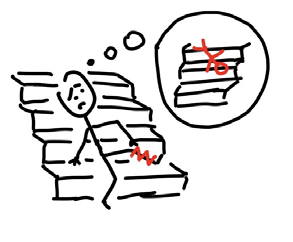
  1. Storyboard drawing of a person falling on stairs and hurting her ankle
    1.She falls down the stairs and injures her ankle.
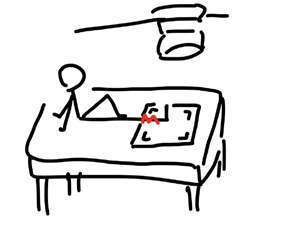
  2. Storyboard drawing of a patient receiving an X-ray at a hospital
    2.She gets an X-ray at the hospital.
  3. Storyboard drawing of a person confused by her X-ray results
    3.She receives the results but doesn’t understand them and feels anxious.
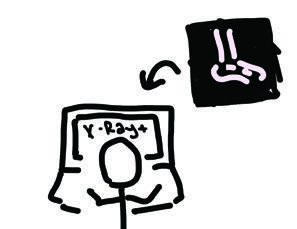
  4. Storyboard drawing of uploading an X-ray to the X-Ray+ concept
    4.She uploads the X-ray to X-Ray+.
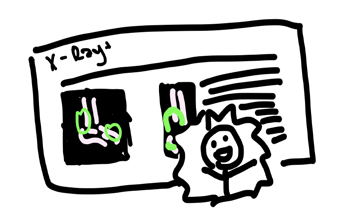
  5. Storyboard drawing of a clearer explanation and a relieved expression in the hypothetical scenario
    5.X-Ray+ explains the image clearly, helping her feel relieved.

06 / Key design decisions

Making the explanation easier to follow

Key decision 01

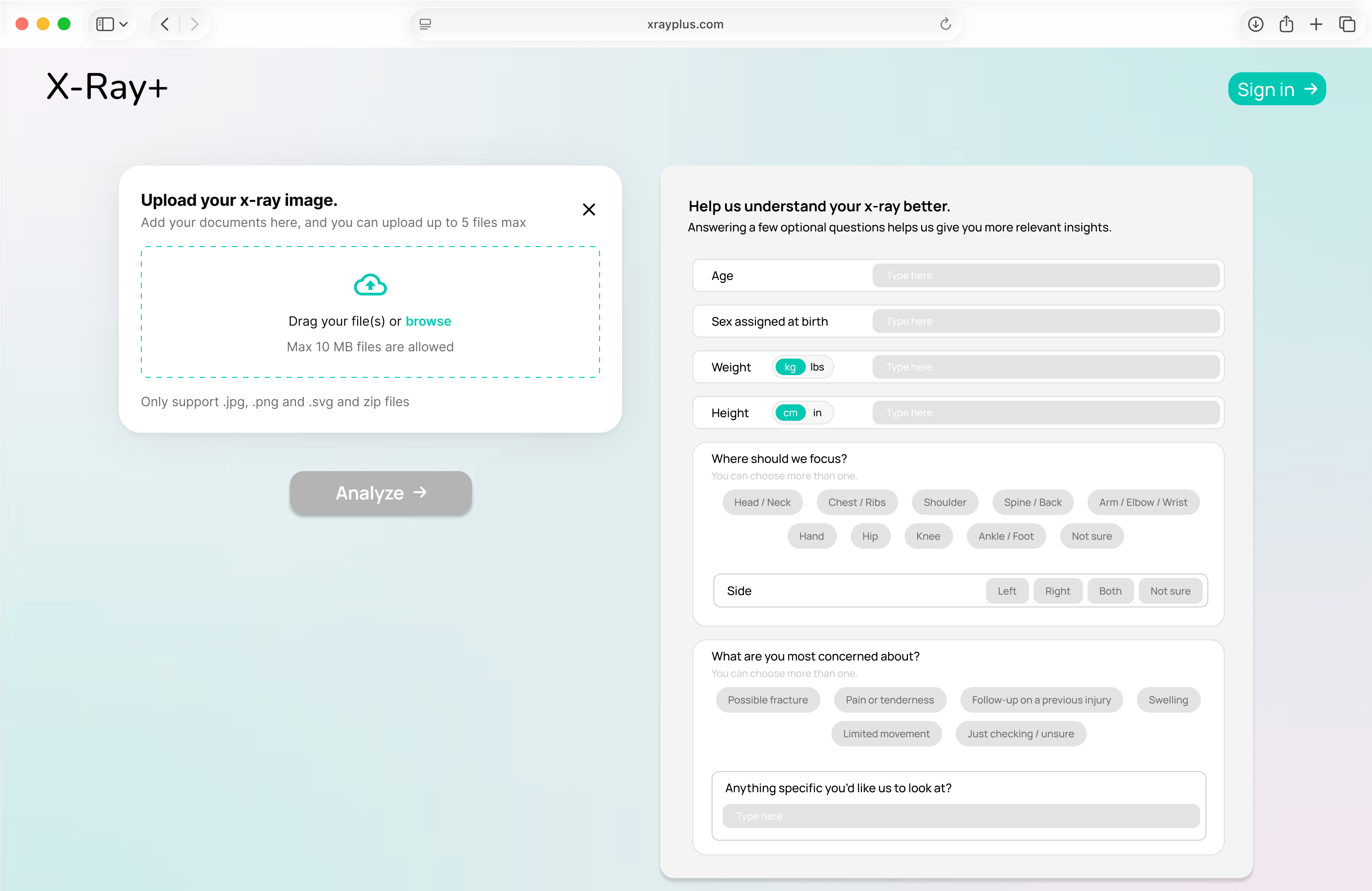
1. Background questions before analysis

Ask users for background information before analyzing the X-ray.

X-Ray+ upload concept with an image-upload panel and optional background questions about the person’s X-ray and concerns

Design goals supported

  • 3.Ask users for background information before analyzing an X-ray.

Key decision 02

2. Plain-language explanations

Make the interpretation understandable for everyone, not only those with medical knowledge. Users should know that it is not a diagnosis or medical advice from a professional—it is simply a helping resource. They should also be able to ask follow-up questions after getting results.

X-Ray+ prototype Summary & Explanations view with a medical-summary panel, a plain-language What this means panel, and follow-up question field; medical text is placeholder content

Design goals supported

  • 7.Make explanations understandable for everyone, not only people with medical knowledge.
  • 5.Make clear that the interpretation is not a diagnosis or professional medical advice. It is simply a helping resource.
  • 4.Allow follow-up questions after receiving results.

Key decision 03

3. Annotated, color-coded X-rays

Show annotations and color-code areas on the images to point out the places being explained.

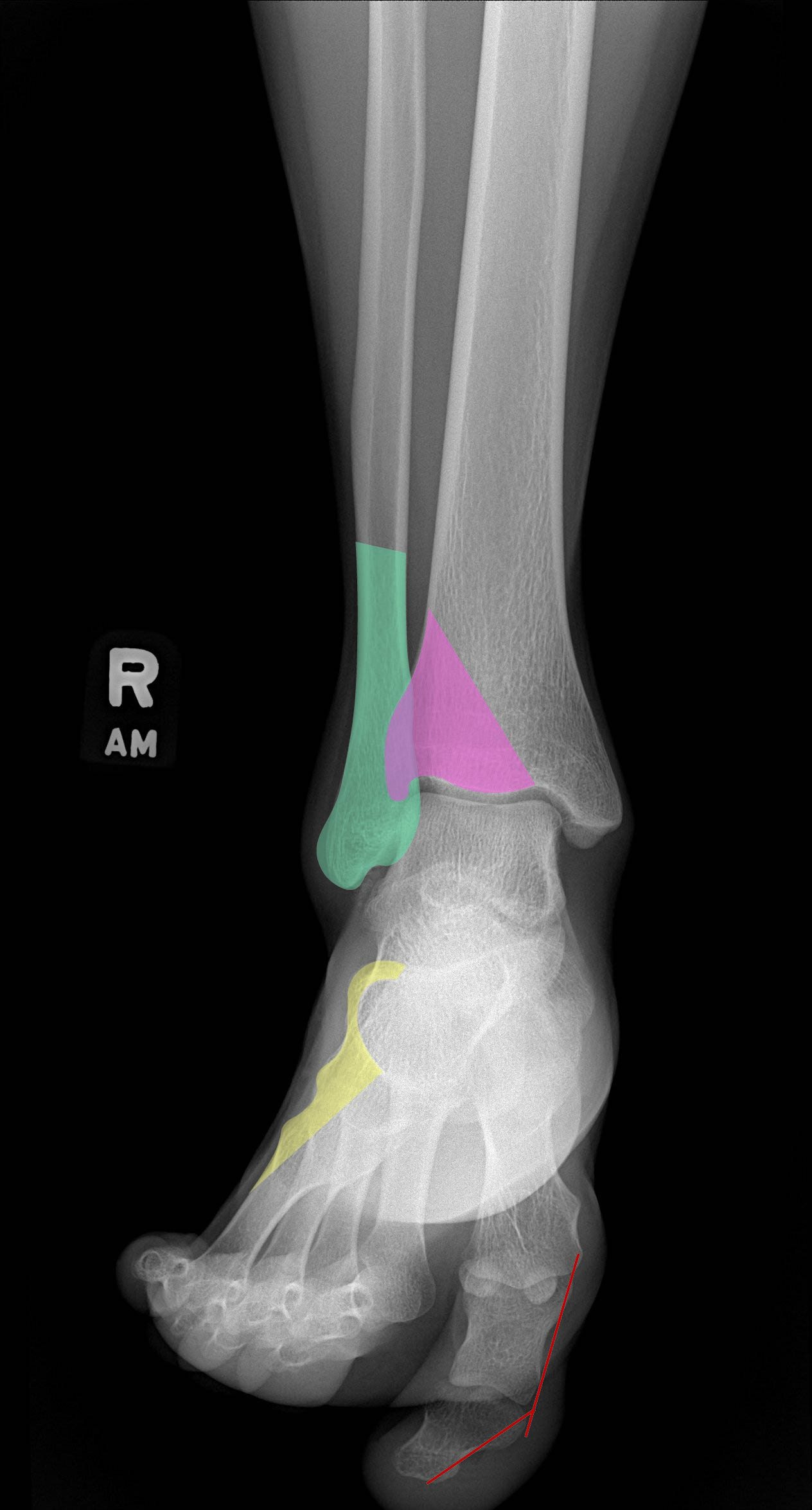
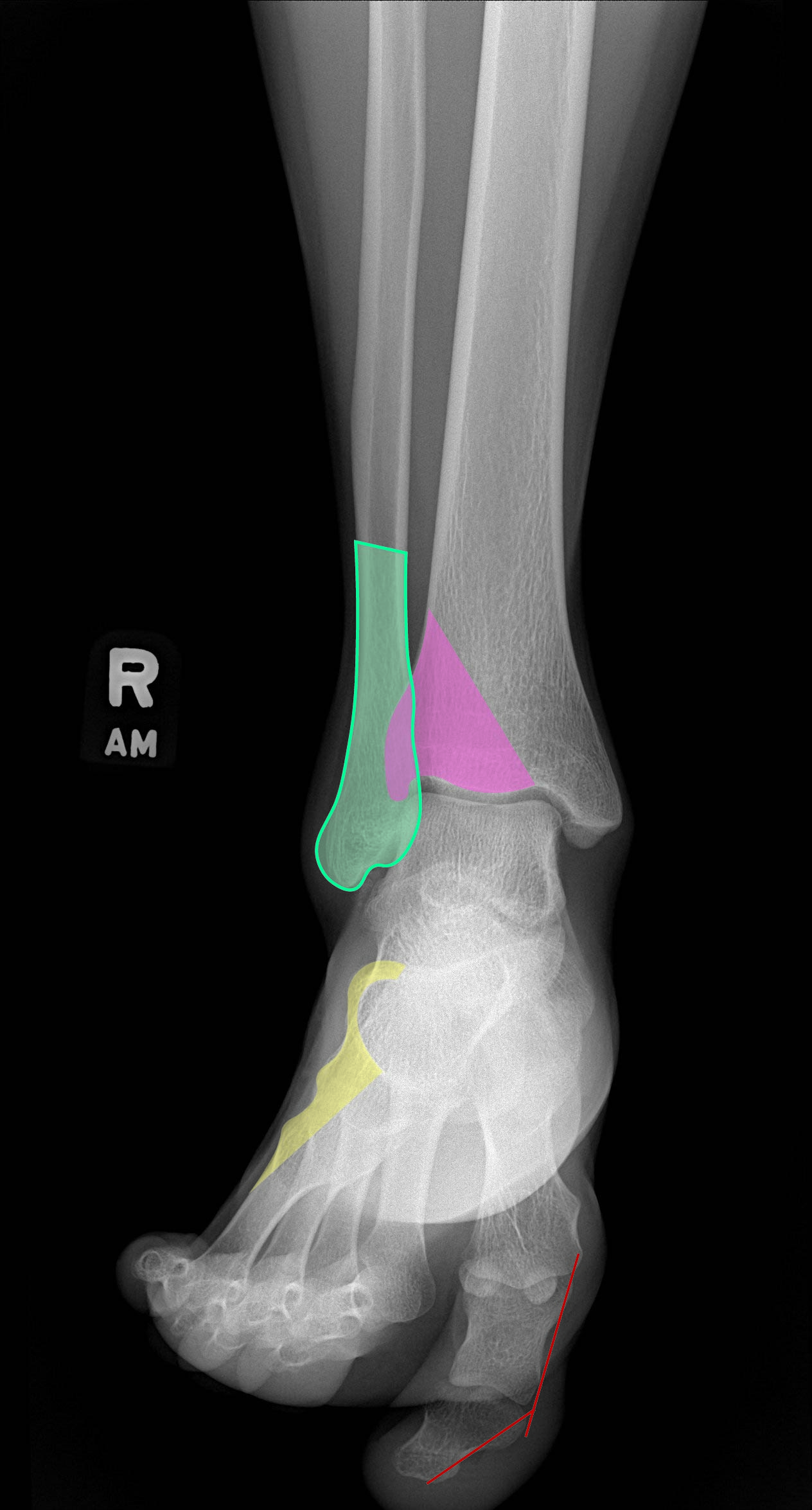
X-Ray+ Image Annotations prototype showing colored and numbered regions on an ankle X-ray with a selected-region explanation; medical text is placeholder content

Prototype interaction

Two annotation views

Switch between filled and outlined annotations to explore the visual treatment used in the prototype.

Prototype ankle X-ray with filled colored annotation regions

Design goals supported

  • 1.Show annotations and color-code areas on images.

Key decision 04

4. Sharing results

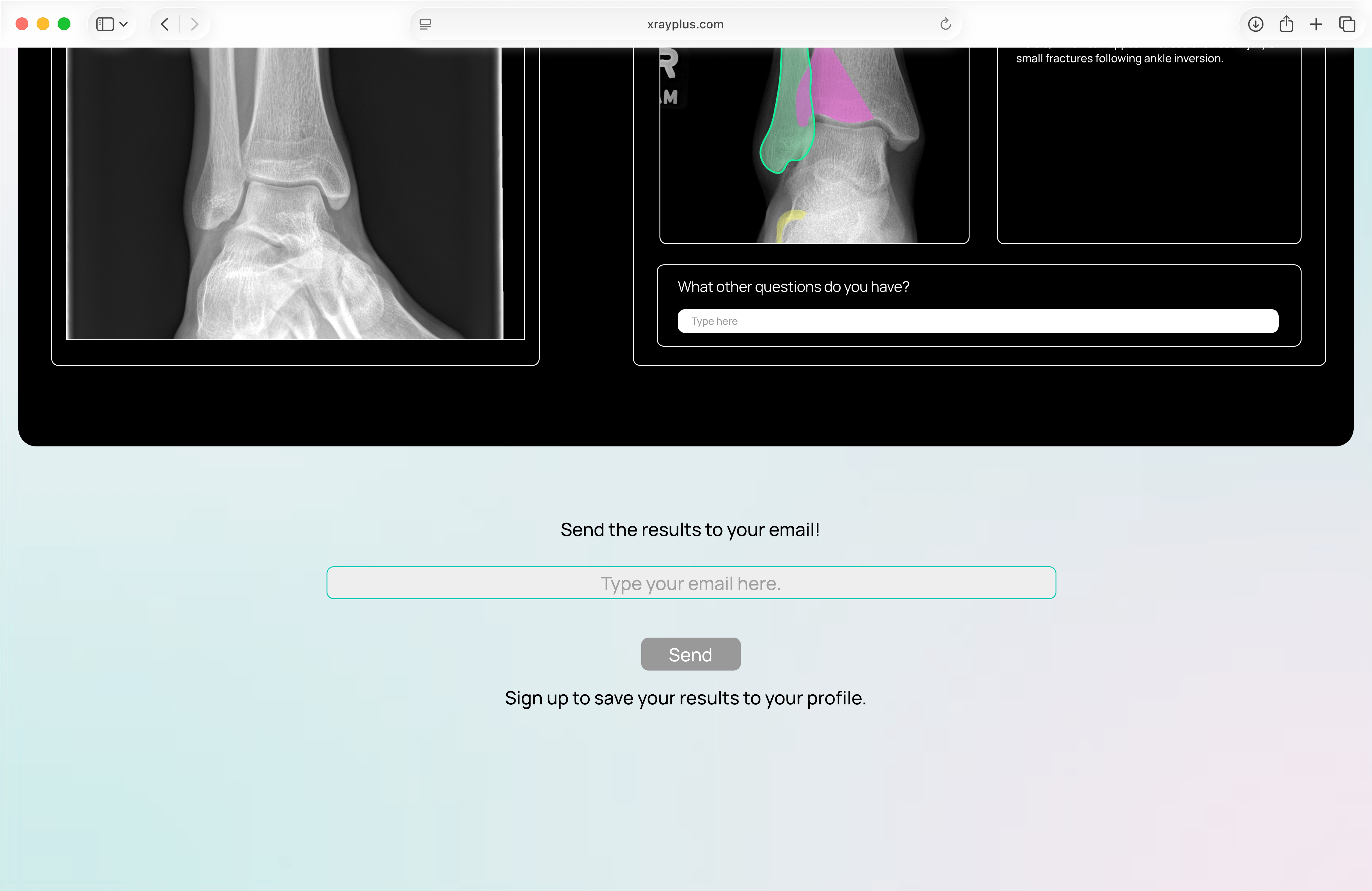
Results can be downloaded or sent to your email.

X-Ray+ sharing prototype with follow-up questions, an email-address field, and Send button for results

Design goals supported

  • 6.Allow results to be downloaded or sent by email.

Making X-ray results feel less overwhelming.

X-Ray+ is a design concept exploring more immediate, accessible, and understandable X-ray explanations. It is a helping resource, not a diagnosis or a replacement for professional care.

yoolim@umich.edu← Back to all work