UX Research · Product Design · Mobile App

Artique

Making meaningful art feedback more accessible to artists everywhere.

Solo design concept

Download Case Study (PDF)
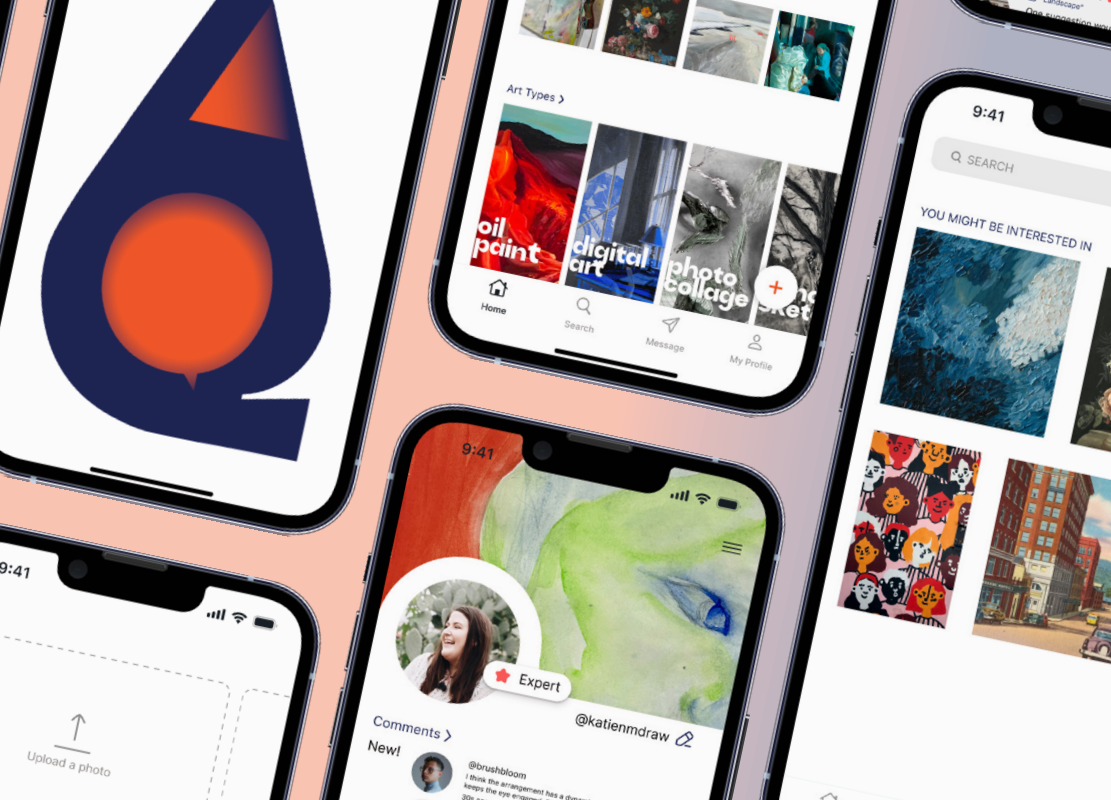
Collage of Artique mobile app screens from the original PDF, including the home feed, artist profile, and artwork gallery
Role
Solo project: research, UX, and UI design
Duration
1 month
Methods
Artist interviews, platform research, affinity mapping, wireframing
Tools
Figma, Adobe Illustrator

01 / Problem discovery

Finding feedback that actually matters

I’ve been an artist for as long as I can remember. I’ve made art everywhere, from creating alone at home in Korea to working in high school art classes, in studios with friends and mentors, and now as an art student in college in America.

No matter where I was, the same obstacle kept coming up: figuring out how to get feedback and where to find it.

Different artworks need different types of feedback from different people, but those people are not always nearby, and sometimes they are not accessible online either. I was never satisfied with how hard it was to get feedback that actually mattered to me.

As I met more artists, I realized many of them struggled with the exact same problem. That made me want to understand why getting good feedback is so difficult and how it could be made better.

02 / Research

Understanding artists and their feedback systems

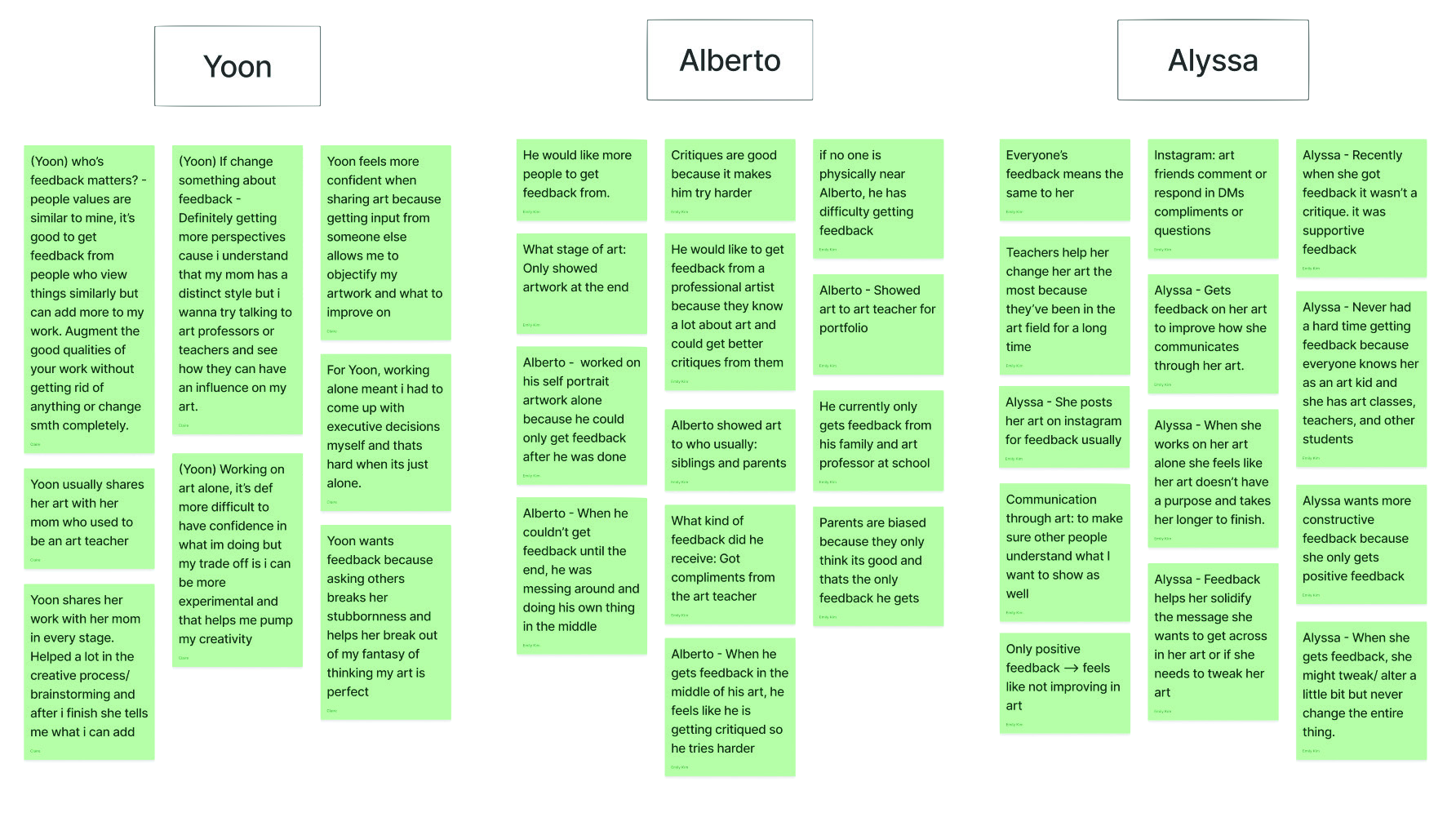
1-on-1 interviews with artists

Through conversations in person or over Zoom, I asked artists questions I had planned ahead of time about who they are, their current feedback systems, and what they want more of in their feedback experiences.

My goal was to gain a deeper understanding of what these artists are looking for and how their experiences could be smoother, more accessible, and easier.

Interview research board organizing artists’ backgrounds, feedback experiences, and needs in columns of green notes
Artist interview research board

Research on existing platforms

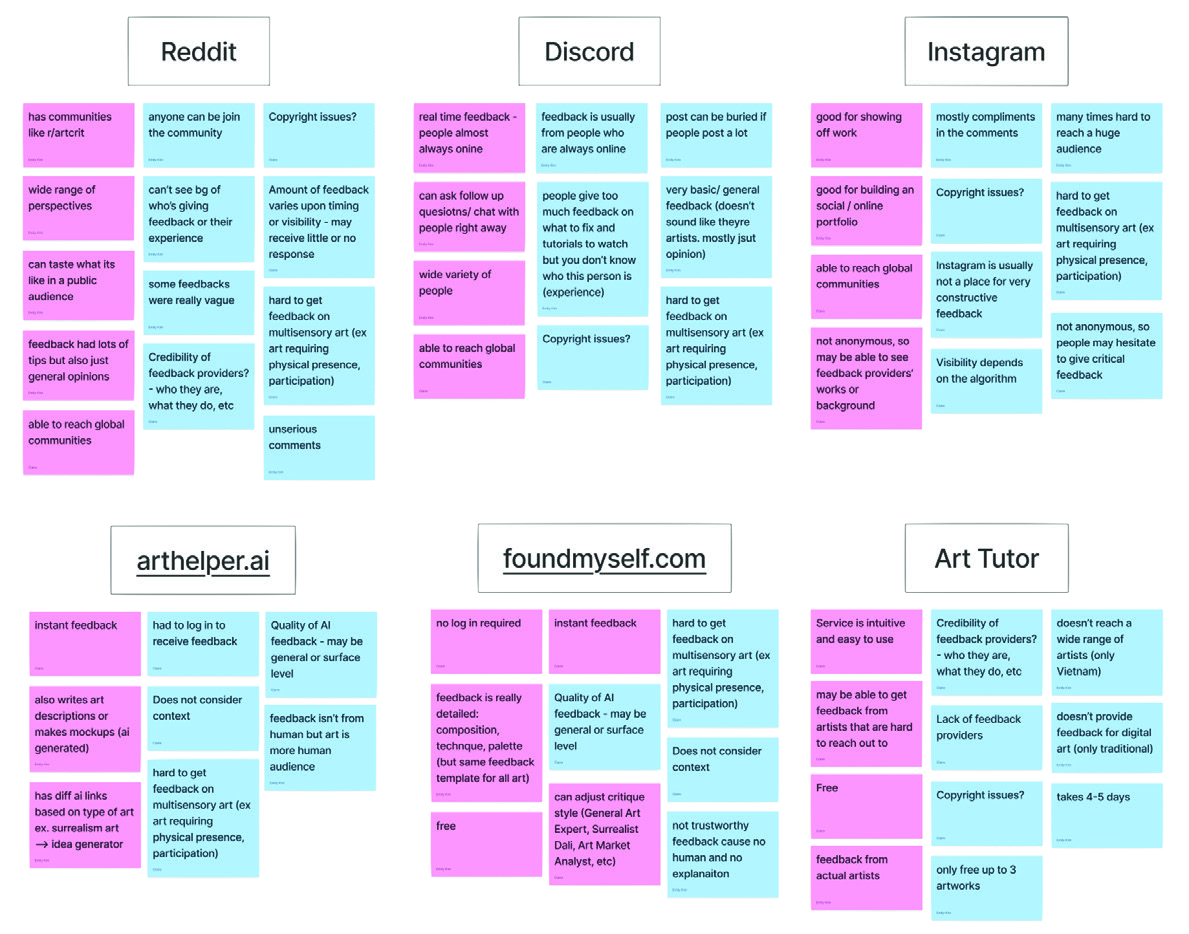
I looked at Reddit, Discord, Instagram, arthelper.ai, foundmyself.com, and Art Tutor. By digging deeper into what was working well and what could be improved, I analyzed these platforms as an artist myself.

This helped me understand how they currently support artists and what could be added to improve the user experience.

Comparison board of Reddit, Discord, Instagram, arthelper.ai, foundmyself.com, and Art Tutor, with notes on feedback quality, access, credibility, and privacy
Existing-platform research board

03 / Synthesis

Turning research into design goals

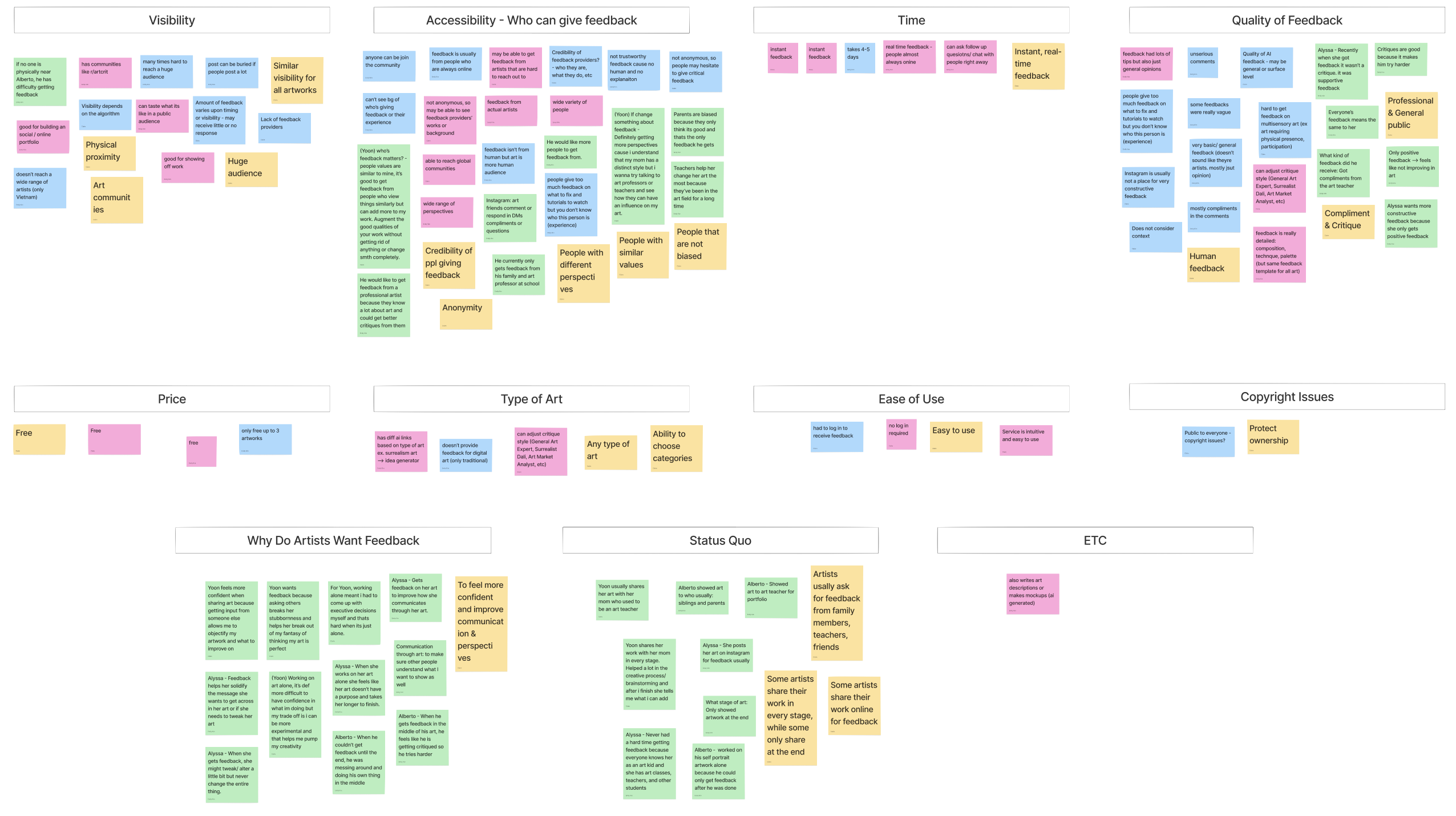
After gathering information from interviews and existing platform research, I organized the findings into groups based on features, positive aspects, and negative aspects. These groupings helped identify key insights and inform goals later in the process.

Affinity diagram grouping interview and platform findings into themes, including credibility, audience, immediacy, art types, and feedback experiences
Affinity diagram

4 key insights

  1. 01

    While online art communities make feedback more accessible, artists struggle to trust the usefulness of responses due to unclear credibility and inconsistent feedback quality.

  2. 02

    Artists want both feedback from those with similar interests and challenges from different perspectives, including professionals and the general public.

  3. 03

    Artists find feedback most helpful when it is immediate and human.

  4. 04

    Artists work across different disciplines and share work at different stages, so the ability to categorize and label their artworks will help.

8 design goals

Anonymity

Use real names, with the choice to remain anonymous.

Credibility

Artists who comment can make their background and achievements public.

Accessibility

Professionals and amateurs, working in any genre, should be able to give feedback.

Immediacy

Receive feedback as soon as possible.

Human

There should be a human aspect to the feedback.

Privacy

Protect artwork from potential misuse.

Discoverability

All artworks should have a certain amount of visibility.

Free to Use

A goal listed in the original concept.

How might we

How might we build a credible and accessible art community with diverse artists, both professional and amateur, who can provide immediate feedback for artworks at any stage of completion?

04 / Ideation

Exploring ideas and organizing the experience

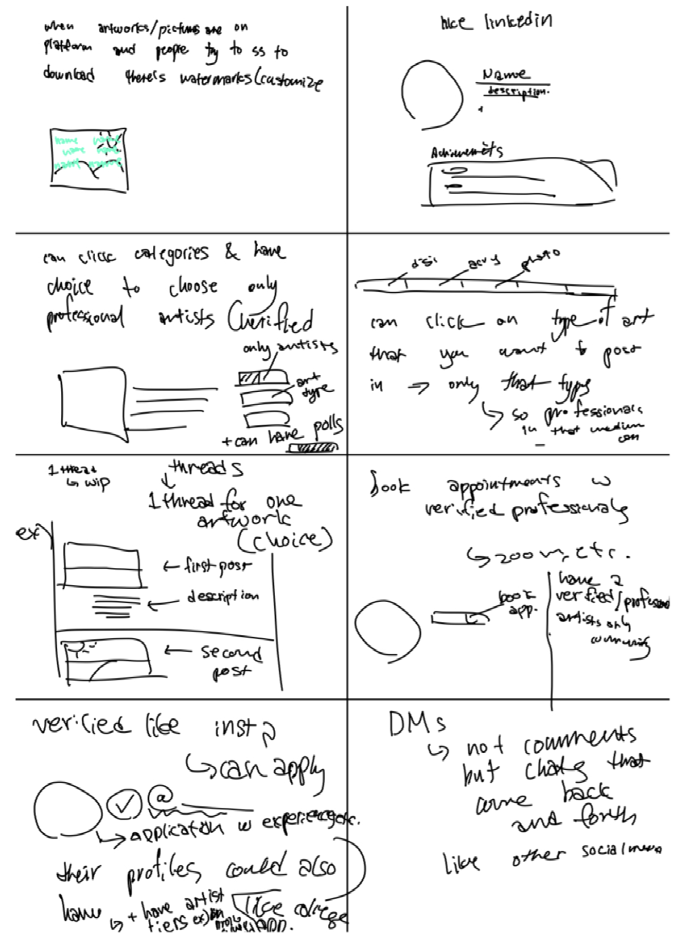
Crazy 8’s

I quickly ideated eight creative ideas, spending one minute on each. This pushed me beyond what I would usually think of and helped me focus on generating ideas rather than spending too much time on the quality of each one.

Eight handwritten ideation sketches exploring watermarks, artist profiles, categories, feedback threads, appointments, verification, and direct messages
Crazy 8’s sketches

Information architecture

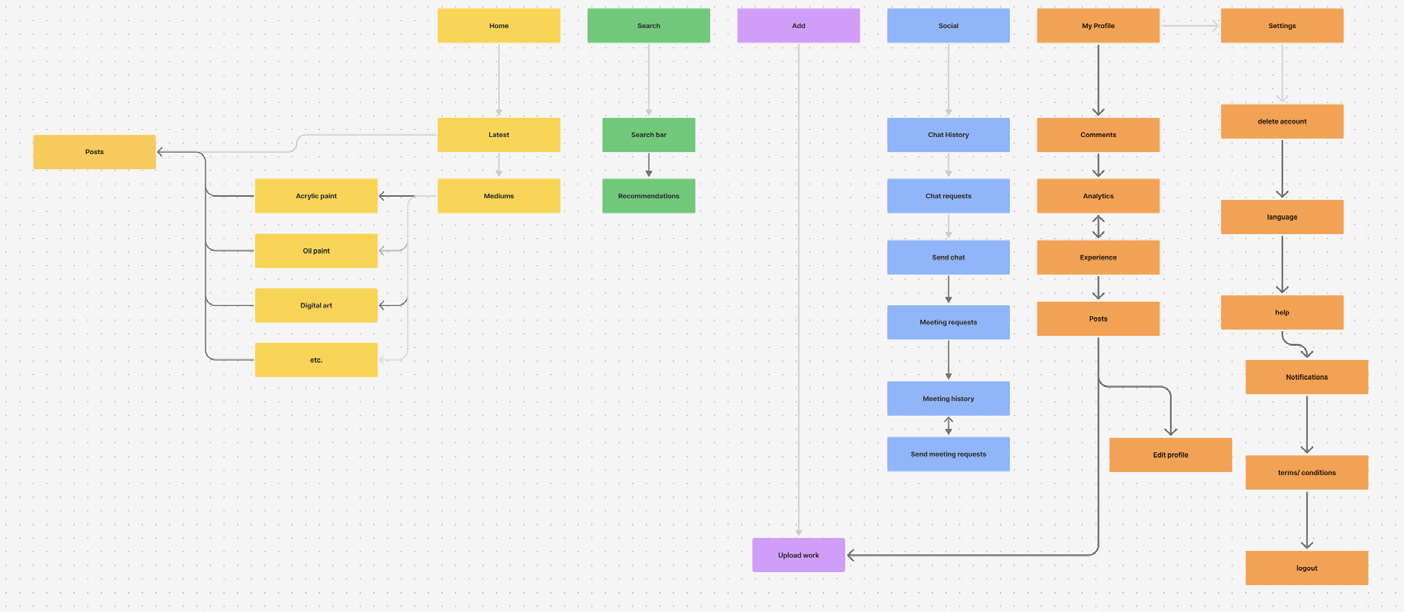
Creating an information architecture helped me finalize which ideas to include and organize how I should start designing. It gave me a clear plan moving forward.

Color-coded information architecture diagram connecting Artique’s main navigation to artwork, feedback, profile, and social features
Information architecture

05 / Wireframes

Giving the ideas a structure

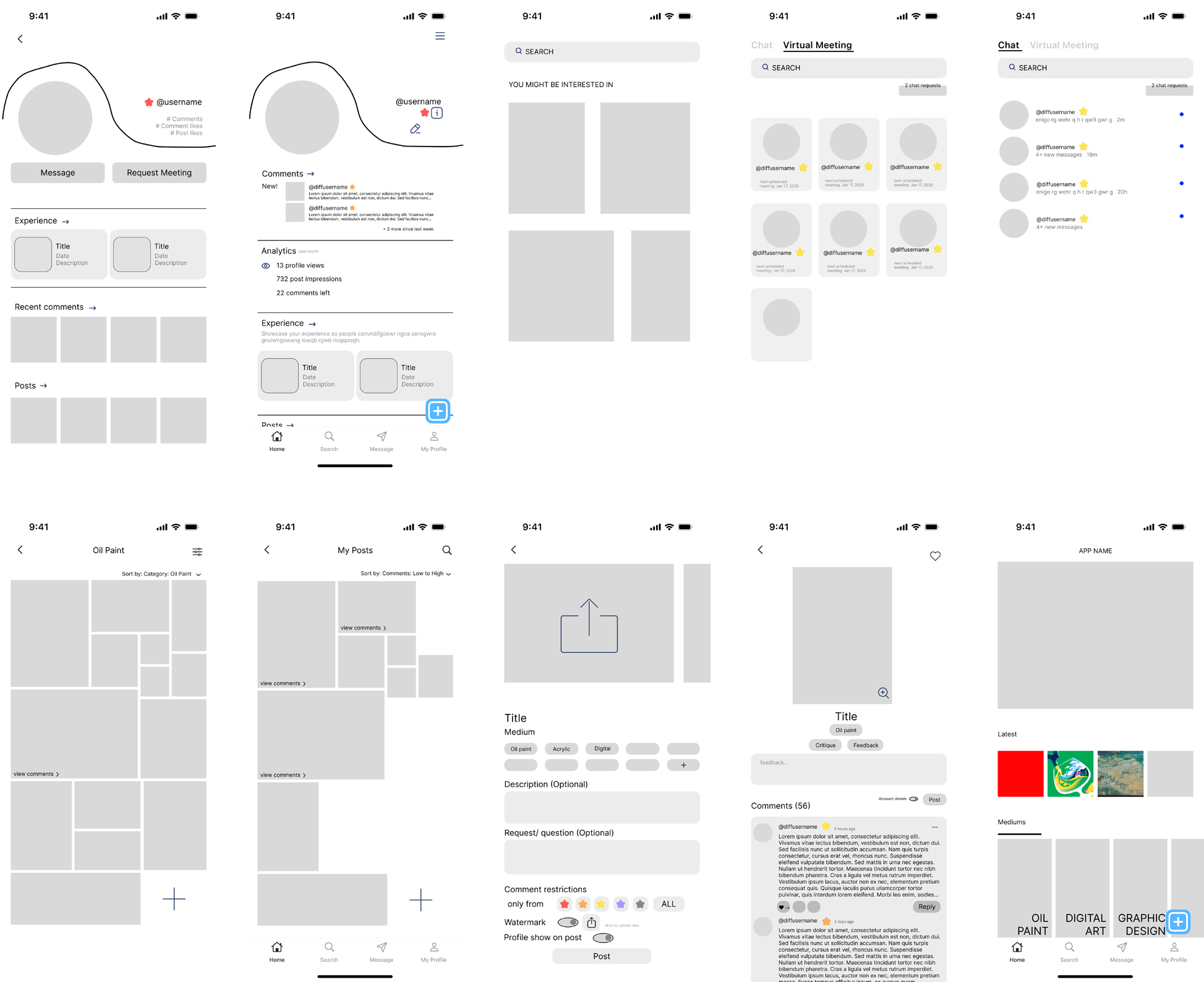
Ten low-fidelity Artique mobile wireframes arranged in two rows, exploring the home feed, artist profile, artwork posting, feedback, and social screens
Wireframes

06 / Key design decisions

Designing the core actions

Key decision 01

1. Upload artwork

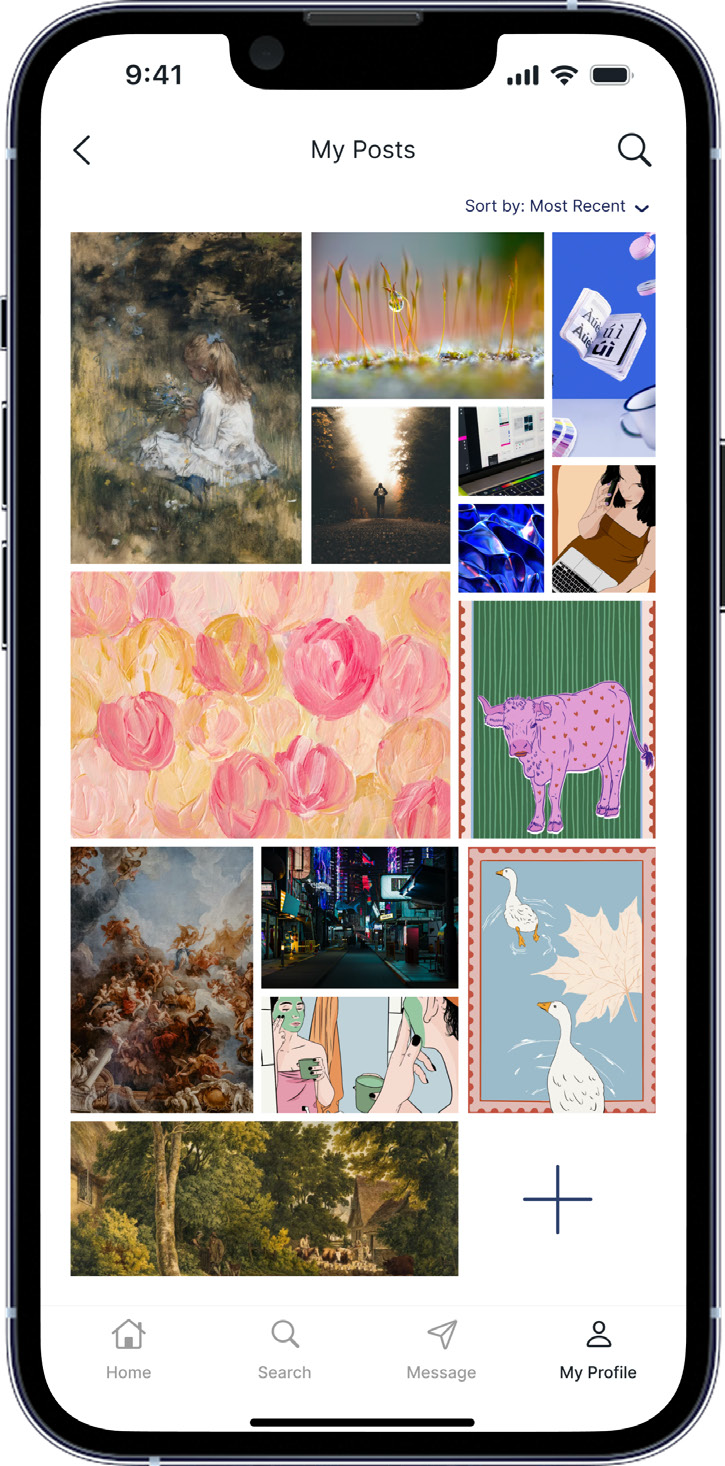
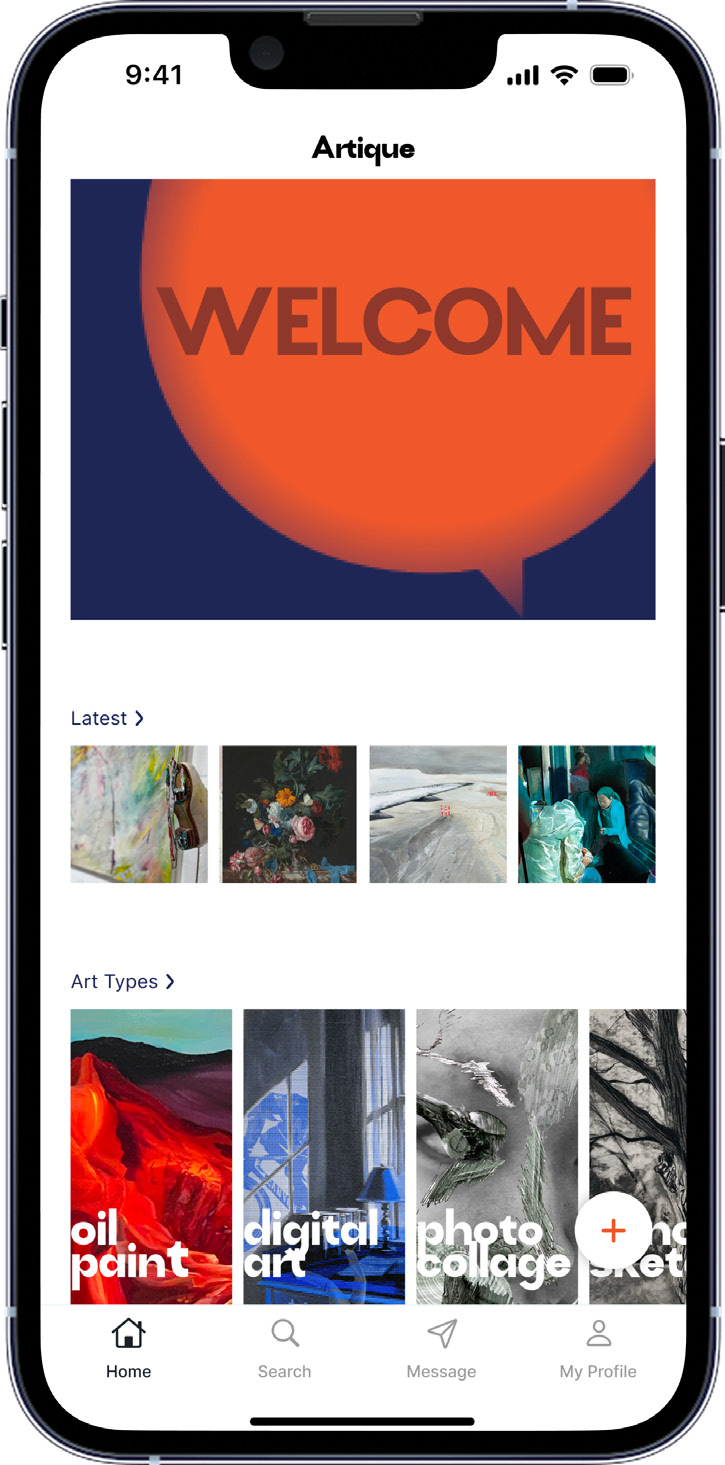
Uploading an artwork is one of the most important actions users will take on the Artique app. When uploading, users can customize their post with descriptions, categories, watermarks, and more.
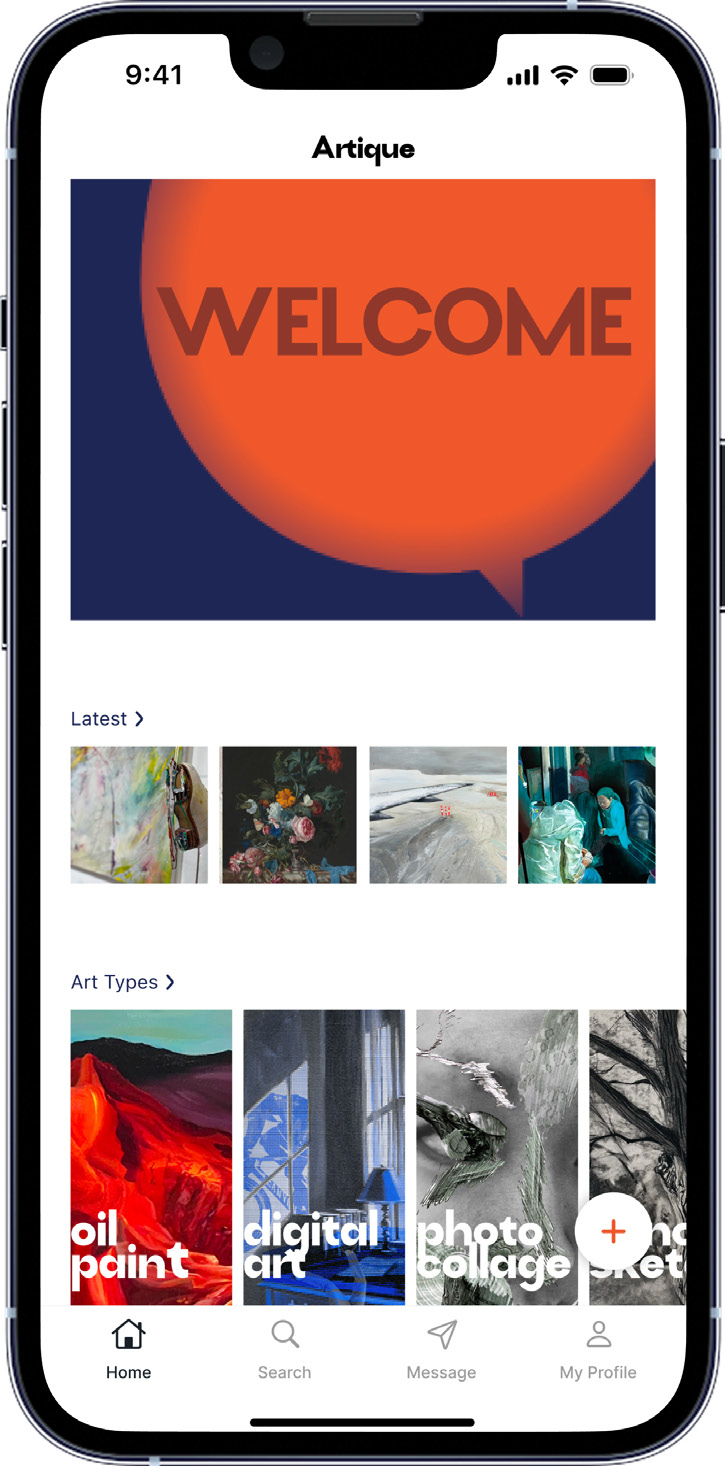
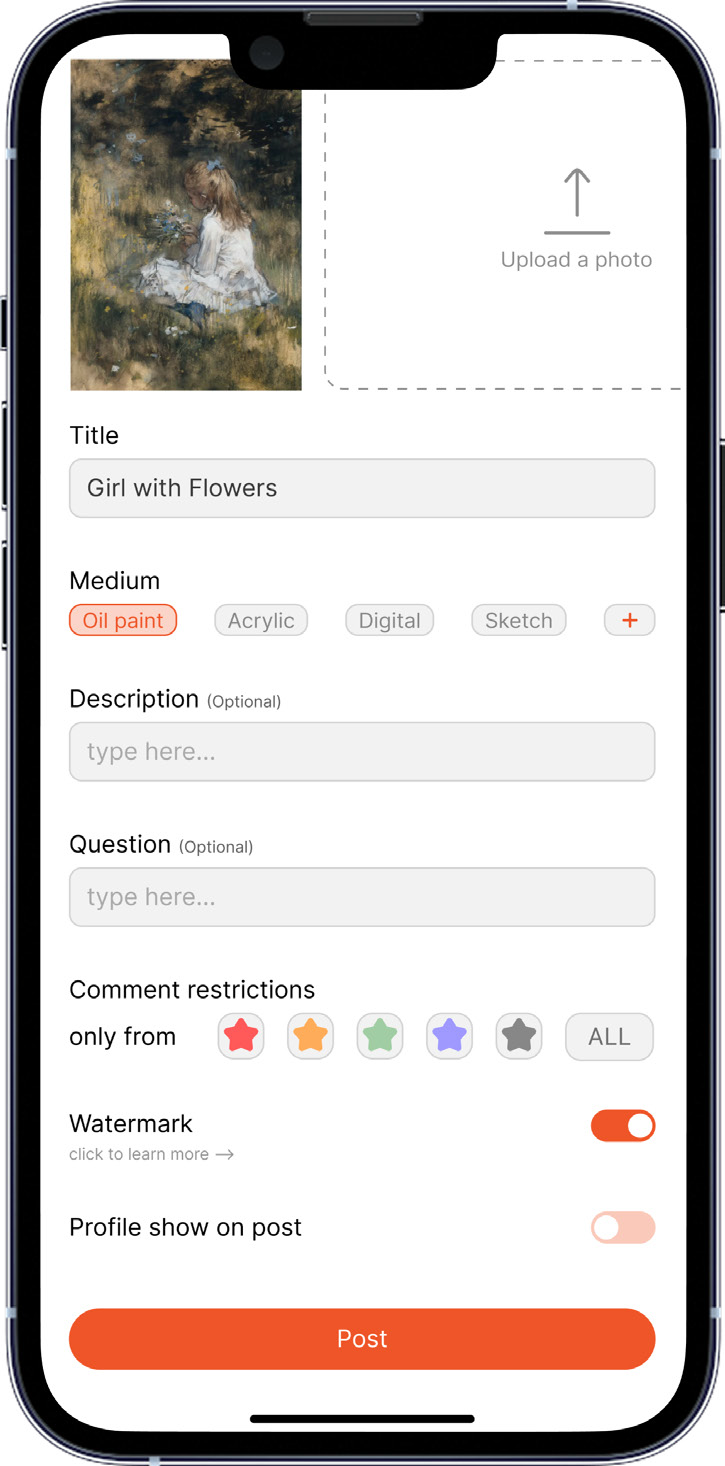
Artique home screen with a floating plus button for uploading artworkUpload form with artwork details, categories, comment restrictions, watermark, and profile visibility controlsMy Posts gallery showing the artist’s uploaded artworks

Why this approach

The watermark switch protects artists from potential misuse of their artwork once it’s public, supporting my goal of privacy. The option to show or hide their profile lets users choose whether to be identifiable or remain anonymous when their work is posted.

Comment restrictions let users choose what type of feedback they want and from whom. Choosing between professionals and the general public helps artists get feedback from the perspective they need, supporting insights from my research.

Design goals supported

  • Privacy
  • Anonymity
  • Credibility

Key decision 02

2. See feedback

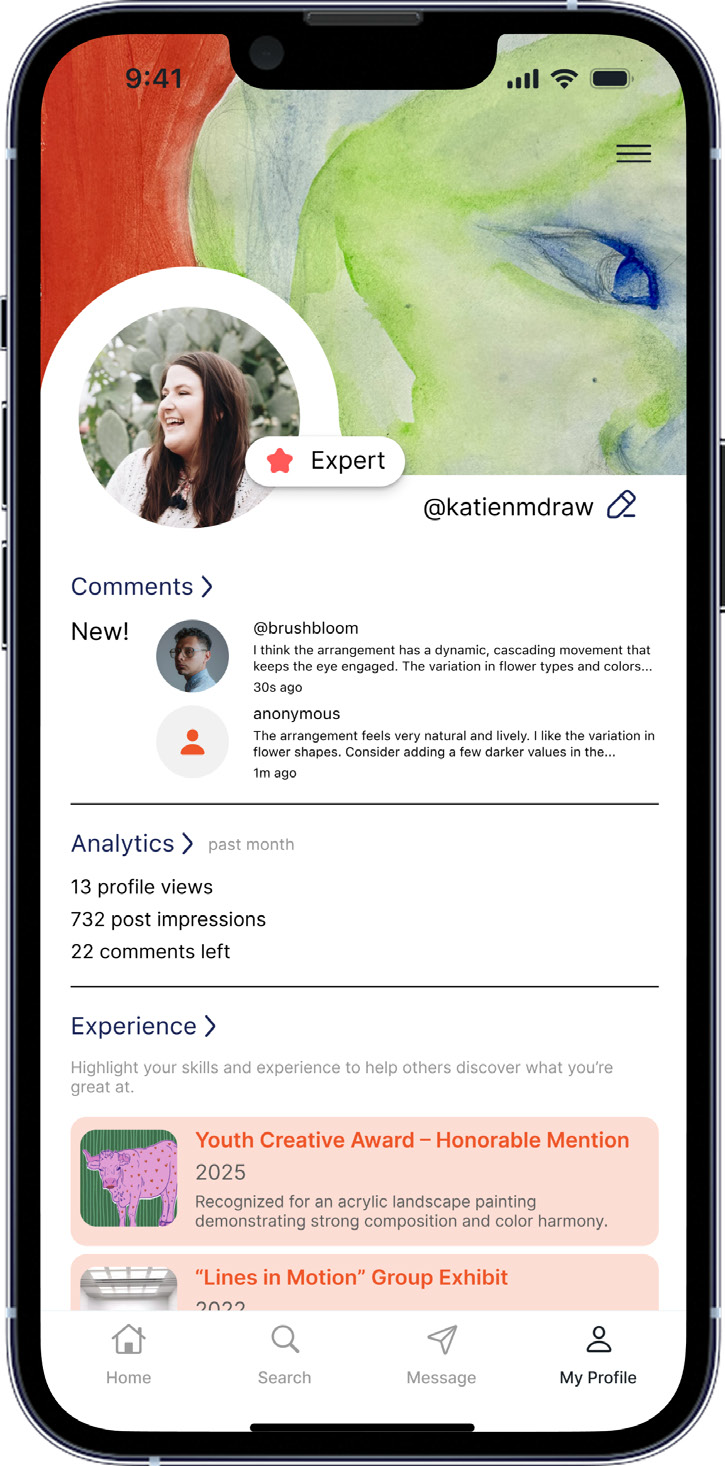
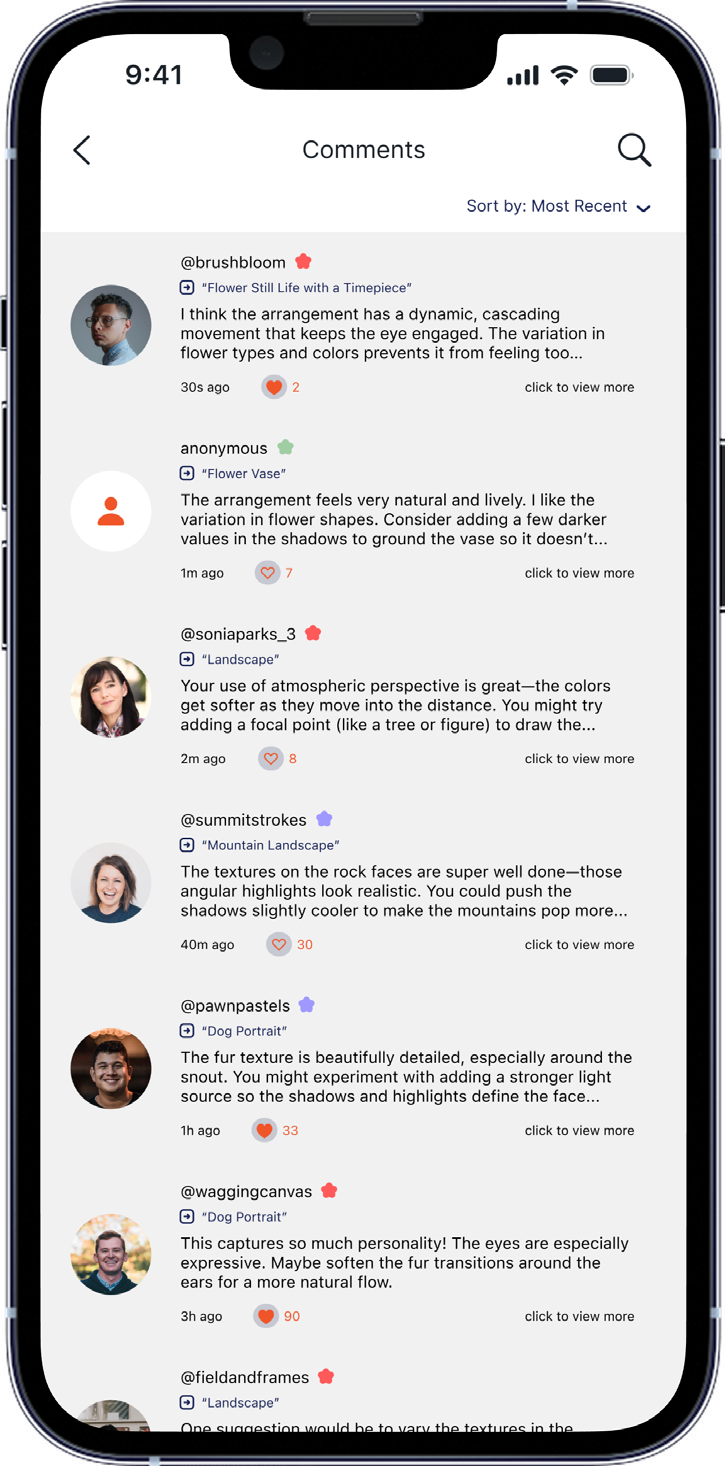
Seeing feedback is another important action users will take. They can see who wrote it, their level on the app, when it was commented, and how many people liked the comment.

Artist profile displaying a level star, analytics, experience, and artwork galleryFeedback inbox with comments from other artists and their credibility indicatorsArtwork detail screen showing received feedback and an artist’s response

Why this approach

If the person giving feedback chooses not to be anonymous, artists can visit their profile to check their background. Even when someone is anonymous, the colored star beside their username shows their level on the app. These details are designed to build credibility for each response.

Once artists post their work publicly, other users can see it immediately. This is intended to help artists receive helpful, immediate, and human responses as soon as possible.

Design goals supported

  • Credibility
  • Immediacy
  • Human

Key decision 03

3. Give feedback

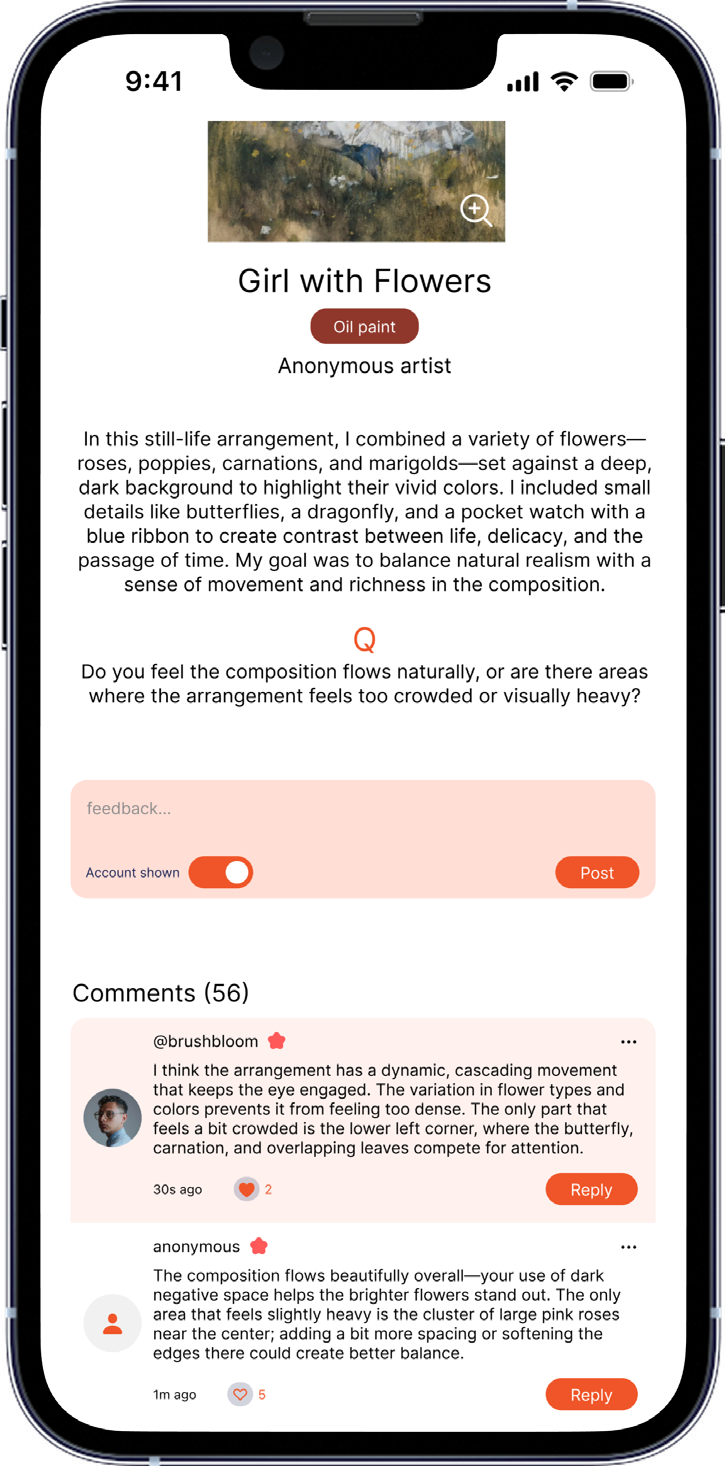
Providing feedback is a key action within the app. Before giving feedback, users can see the artwork and the information the artist provided, helping them write more helpful and direct feedback.

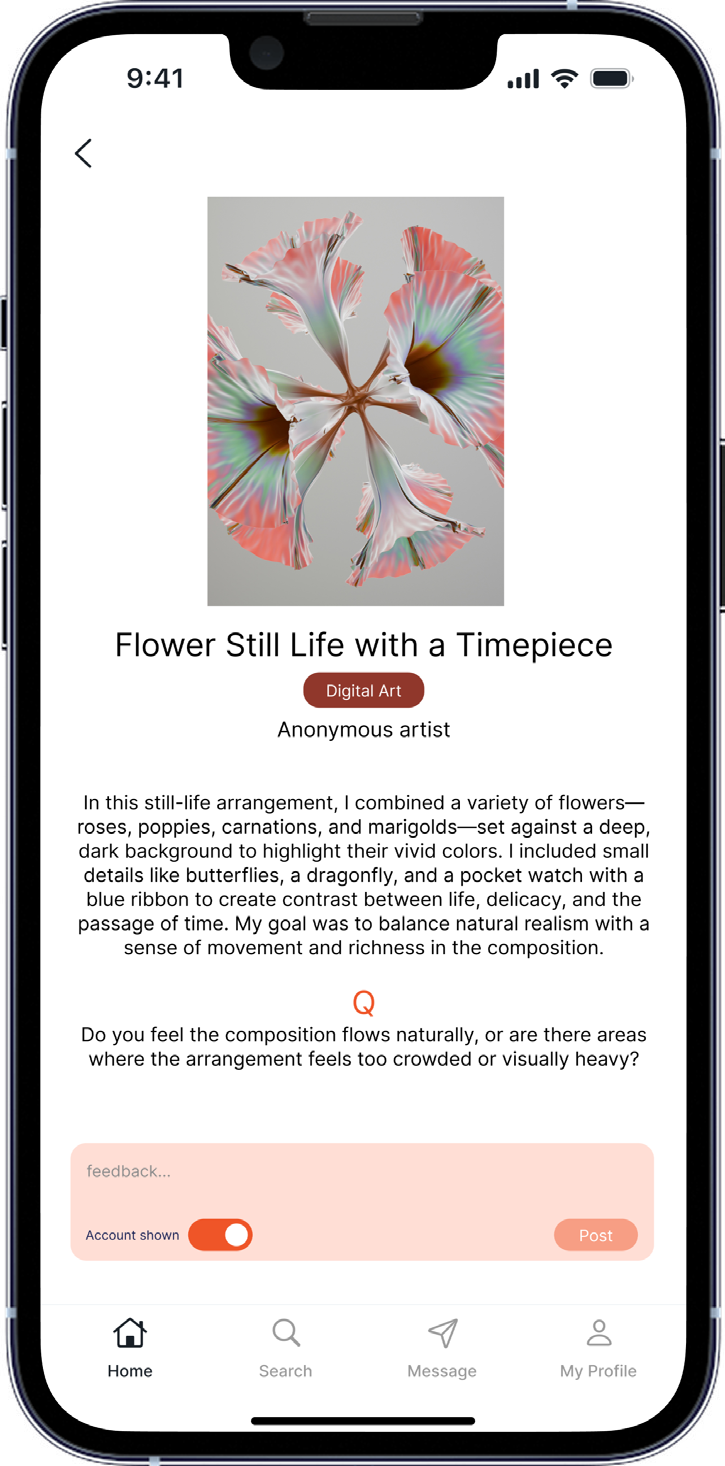
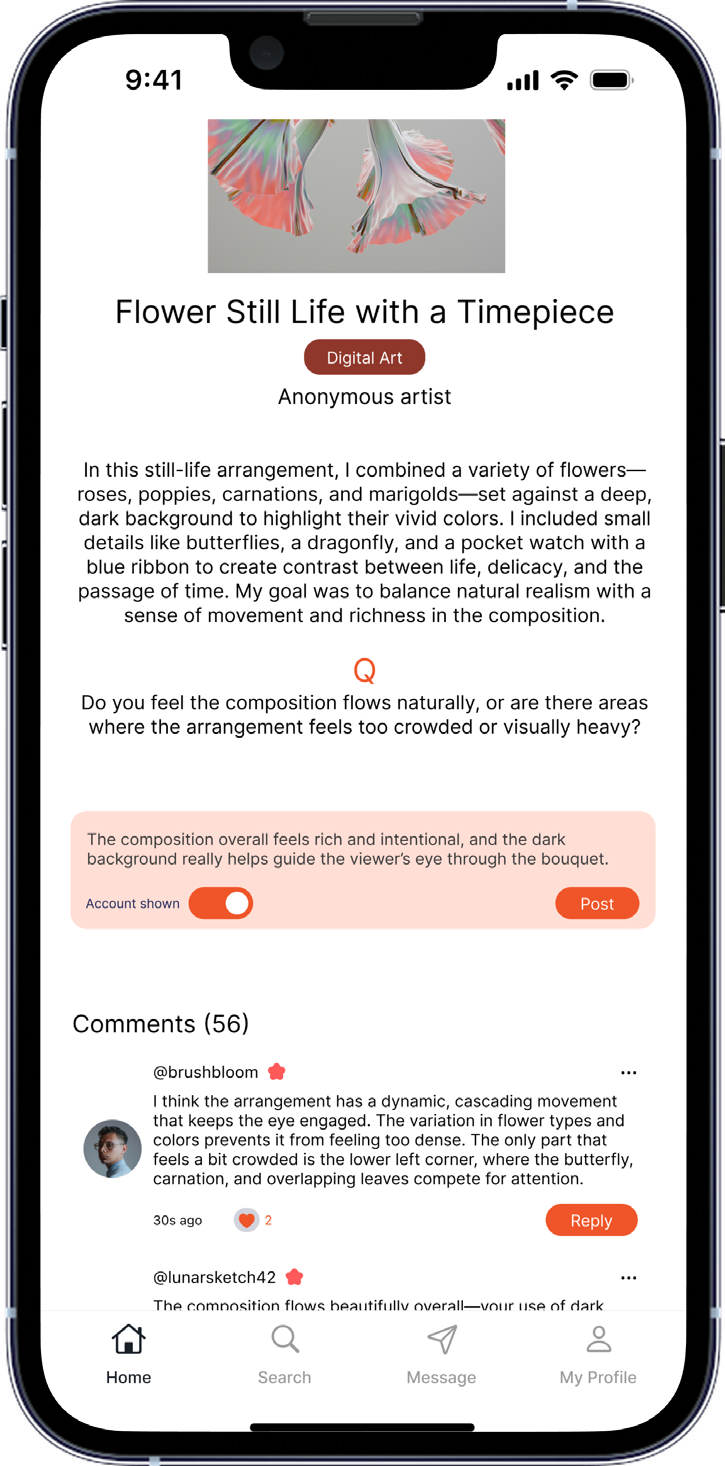
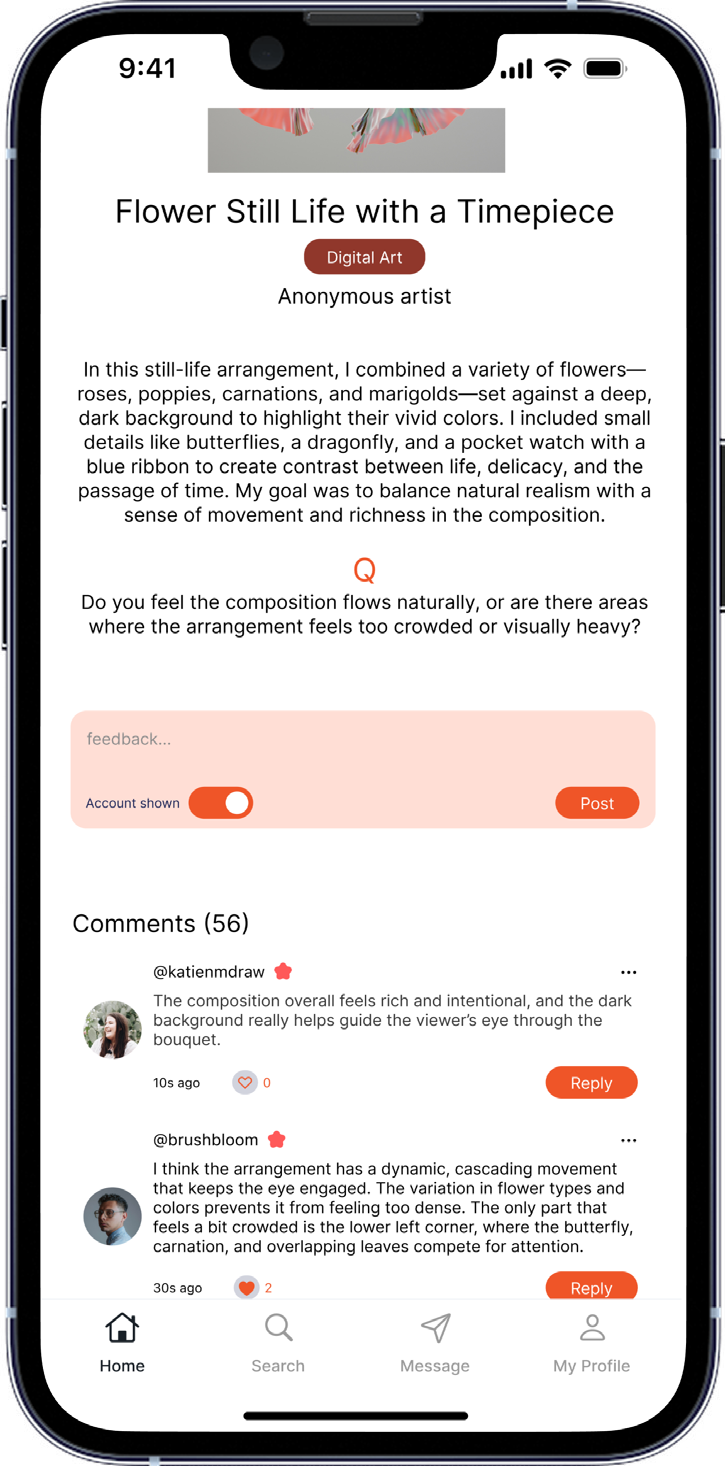
Artwork detail screen with the artwork and the artist’s description before commentingArtwork page with a highlighted orange feedback field and profile visibility optionFeedback composer showing a written response and the option to post anonymously

Why this approach

After looking at the work and reading its information, users can write feedback in a highlighted orange box. This makes the place to write feedback clear and easy to find.

Before posting, users can choose to show their account or remain anonymous, based on what they want.

Design goals supported

  • Anonymity

Key decision 04

4. Socials

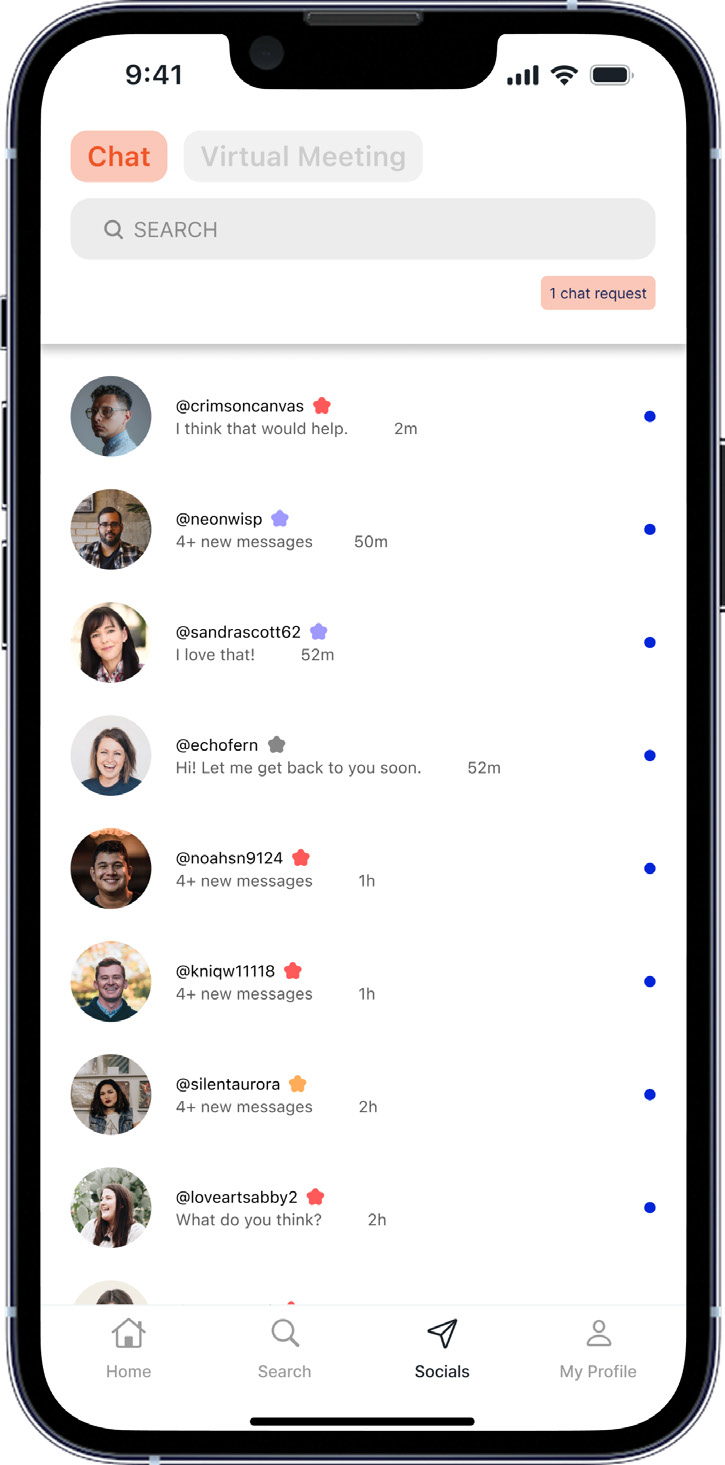
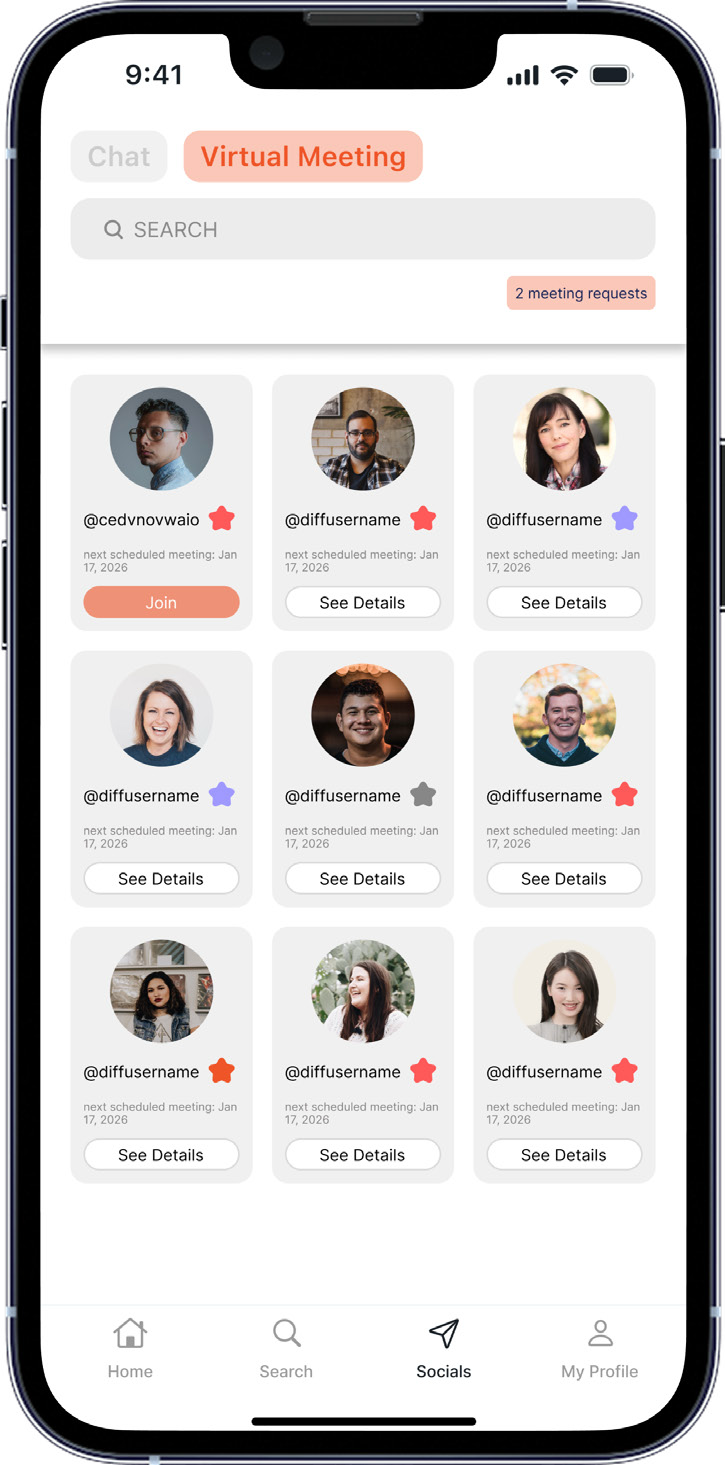
The chat and virtual meeting features make the app more helpful and unique. Like other social media apps, Artique includes an option to send direct messages to other users.

Artique home screen with the Socials tab in the bottom navigationSocials chat list showing conversations with other artistsVirtual Meetings tab with meeting requests, scheduled artists, and Join or See Details buttons

Why this approach

The Virtual Meetings tab turns orange when selected. It shows meeting requests and scheduled artists, including their username, profile picture, level, meeting date, and a Join button for live meetings or See Details for upcoming ones.

These features are designed to support real human feedback through conversations, privacy between the people involved, and immediate feedback through messaging.

Design goals supported

  • Human
  • Privacy
  • Immediacy

07 / Reflection

How the design meets the goals

I wanted Artique to build a credible and accessible art community, full of diverse artists who can provide immediate feedback. These are the features I designed to support the goals from my research, insights, and brainstorming.

These are design intentions for a solo concept, rather than measured outcomes from a launched app.

Anonymity
Options to show an account or remain anonymous when posting artwork and feedback.
Credibility
Profiles with previous work and qualifications, plus colored level stars beside usernames.
Accessibility
Any user can post artwork. Users can comment when their app level matches the restriction selected by the artist.
Immediacy
Public artwork posts, direct messages, and virtual meetings are intended to make timely feedback possible.
Human
Feedback comes from other people, with chat and meetings supporting real conversations.
Privacy
Optional watermarks help protect posted artwork from misuse.
Discoverability
Latest artworks, art-type categories, and profile galleries provide ways to find artwork and comments.
Free to Use
Listed as a design goal; a supporting feature is not specified in the original PDF.

Making meaningful feedback easier to find.

Artique brings together the ideas I explored for a more credible, accessible, and human art community.

yoolim@umich.edu← Back to all work